多查询,或查询批处理,允许您在一个网络请求中向 Manticore 发送多个搜索查询。
👍 为什么使用多查询?
主要原因在于性能。通过将请求以批处理的形式发送到 Manticore 而不是逐个发送,可以节省时间并减少网络往返次数。此外,以批处理的形式发送查询可以让 Manticore 执行某些内部优化。如果无法应用批处理优化,查询将逐个处理。
⛔ 何时不使用多查询?
多查询要求批处理中的所有搜索查询都是独立的,但这并不总是成立。有时查询 B 依赖于查询 A 的结果,这意味着查询 B 只能在执行查询 A 之后才能设置。例如,您可能只想在主表中未找到结果时显示次级索引的结果,或者您可能需要根据第一个结果集中的匹配数量指定第二个结果集中的偏移量。在这种情况下,您将需要使用单独的查询(或单独的批处理)。
当使用连接器库时,例如 PHP 中的 mysqli,您可以添加多个查询,然后将它们作为一个批处理运行。这将作为一个单个多查询批处理工作。
注意:如果您使用控制台 MySQL 客户端,默认情况下它会将分号(;)解释为分隔符本身,并逐个将每个查询发送到服务器;这不是一个多查询批处理。要覆盖此行为,可以在客户端侧使用内部命令 delimiter 重新定义分隔符。在做出此更改后,客户端将发送整个包含分号的字符串,允许“多查询魔法”生效。
控制台客户端的这种行为有时会令人困惑,因为您可能会注意到相同的命令序列在 MySQL 客户端控制台中与 SQL-over-HTTP 等其他协议的行为有所不同。这是因为 MySQL 控制台客户端本身使用分号来划分查询,但其他协议可能会将整个序列作为一个批处理发送。
您可以使用 SQL 通过分号分隔多个搜索查询。当 Manticore 从客户端接收到格式为这样的查询时,所有语句间的优化都将被应用。
多查询不支持带有 FACET 的查询。一个批处理中的多查询数量不应超过 max_batch_queries。
- SQL
SELECT id, price FROM products WHERE MATCH('remove hair') ORDER BY price DESC; SELECT id, price FROM products WHERE MATCH('remove hair') ORDER BY price ASC从控制台 MySQL/MariaDB 客户端:
DELIMITER _
SELECT id, price FROM products WHERE MATCH('remove hair') ORDER BY price DESC; SELECT id, price FROM products WHERE MATCH('remove hair') ORDER BY price ASC_
POST /sql?mode=raw -d "SELECT id, price FROM products WHERE MATCH('remove hair') ORDER BY price DESC; SELECT id, price FROM products WHERE MATCH('remove hair') ORDER BY price ASC"
有两种主要的优化需要了解:公共查询优化和公共子树优化。
公共查询优化意味着 searchd 将识别批处理中所有仅排序和分组设置不同的查询,并且 只执行一次搜索。例如,如果批处理包含 3 个查询,它们都是针对“ipod nano”的,但第一个查询请求按价格排序的前 10 个结果,第二个查询按供应商 ID 分组并请求按评分排序的前 5 个供应商,第三个查询请求最高价格,全文搜索“ipod nano”将只执行一次,并且其结果将被重用以构建 3 个不同的结果集。
分面搜索 是特别重要的一种情况,可以从这种优化中受益。确实,分面搜索可以通过运行几个查询来实现,一个查询用于检索搜索结果本身,几个其他查询带有相同的全文查询但不同的分组设置,以检索所有所需的分组结果(前 3 位作者,前 5 位供应商等)。只要全文查询和过滤设置保持不变,公共查询优化就会触发,并大大提高性能。
公共子树优化更加有趣。它允许 searchd 利用批处理中的全文查询之间的相似性。它会识别所有查询中的公共全文查询部分(子树),并在查询之间缓存它们。例如,考虑以下查询批处理:
donald trump president
donald trump barack obama john mccain
donald trump speech
有一个公共的两词部分 donald trump,它只需要计算一次,然后缓存并共享给所有查询。公共子树优化正是这样做的。每个查询的缓存大小由 subtree_docs_cache 和 subtree_hits_cache 指令严格控制(以确保缓存所有 160 亿个匹配“i am”的文档不会耗尽内存并立即杀死您的服务器)。
如何知道批处理中的查询是否实际进行了优化?如果进行了优化,相应的查询日志将有一个“倍数”字段,指定了一起处理了多少个查询:
注意“x3”字段。这意味着此查询被优化并作为一个子批处理中的 3 个查询一起处理。
- log
[Sun Jul 12 15:18:17.000 2009] 0.040 sec x3 [ext/0/rel 747541 (0,20)] [lj] the
[Sun Jul 12 15:18:17.000 2009] 0.040 sec x3 [ext/0/ext 747541 (0,20)] [lj] the
[Sun Jul 12 15:18:17.000 2009] 0.040 sec x3 [ext/0/ext 747541 (0,20)] [lj] the作为参考,如果查询未批处理,常规日志将如下所示:
- log
[Sun Jul 12 15:18:17.062 2009] 0.059 sec [ext/0/rel 747541 (0,20)] [lj] the
[Sun Jul 12 15:18:17.156 2009] 0.091 sec [ext/0/ext 747541 (0,20)] [lj] the
[Sun Jul 12 15:18:17.250 2009] 0.092 sec [ext/0/ext 747541 (0,20)] [lj] the注意,在多查询情况下,每个查询的时间提高了 1.5 到 2.3 倍,具体取决于特定的排序模式。
多查询主要用于批处理查询并接收此类批处理的元数据。由于这一限制,批处理中只允许一小部分语句。在一个批处理中,您可以组合 SELECT、SHOW 和 SET 语句。
您可以像平常一样使用 SELECT;然而,请注意,所有查询将在一次通过中运行。如果查询之间没有关联,多查询就没有好处。守护进程会检测到这一点,并逐个运行查询。
你可以使用 SHOW 来处理 警告, 状态, 代理状态, 元数据, 配置文件 和 计划。所有其他在批次中的 SHOW 语句将被静默忽略,没有任何输出。例如,你不能执行 SHOW TABLES, SHOW THREADS, 或 SHOW VARIABLES,或任何其他未提及的语句进行批次处理。
你可以仅使用 SET 来设置 SET PROFILING。所有其他 SET ... 命令将被静默忽略。
执行的顺序也不同。守护进程在两轮中处理批次。
首先,它收集所有 SELECT 语句,并同时运行它看到的所有 SET PROFILING 语句。作为副作用,只有最后一个 SET PROFILING 语句有效。如果你执行一个类似的多查询语句,如 SET PROFILING=1; SELECT...; SHOW META; SHOW PROFILE; SET PROFILING=0,你将看不到任何配置文件,因为在第一轮中,守护进程执行了 SET PROFILING=1,然后立即执行了 SET PROFILING=0。
第二轮,守护进程尝试使用收集的所有 SELECT 语句执行单个批次查询。如果语句不相关,它将依次执行它们。
最后,它遍历初始批次序列,并返回结果集中的每个 SELECT 和 SHOW 的子结果数据和元数据。由于所有 SET PROFILING 语句在第一轮中已执行,因此在第二轮中将被跳过。
each SELECT and SHOW. Since all SET PROFILING statements were executed in the first pass, they are skipped on this second pass.
Manticore 通过以下格式支持 SQL 中的 SELECT 子查询:
SELECT * FROM (SELECT ... ORDER BY cond1 LIMIT X) ORDER BY cond2 LIMIT Y
外层 select 只允许包含 ORDER BY 和 LIMIT 子句。子查询目前有两个使用场景:
-
当你有一个查询包含两个排序 UDF,一个非常快,另一个较慢,并且执行全文搜索时匹配结果集很大。没有子查询,查询看起来像这样:
SELECT id,slow_rank() as slow,fast_rank() as fast FROM index WHERE MATCH(‘some common query terms’) ORDER BY fast DESC, slow DESC LIMIT 20 OPTION max_matches=1000;使用子查询,查询可以重写为:
SELECT * FROM (SELECT id,slow_rank() as slow,fast_rank() as fast FROM index WHERE MATCH(‘some common query terms’) ORDER BY fast DESC LIMIT 100 OPTION max_matches=1000) ORDER BY slow DESC LIMIT 20;在初始查询中,
slow_rank()UDF 会对整个匹配结果集计算。使用 SELECT 子查询,仅对整个匹配结果集计算fast_rank(),而只对有限集合计算slow_rank()。 -
第二种情况适用于来自分布式表的大型结果集。
对于此查询:
SELECT * FROM my_dist_index WHERE some_conditions LIMIT 50000;如果你有 20 个节点,每个节点最多可以返回 50K 条记录给主节点,结果是 20 x 50K = 100万条记录。然而,由于主节点只返回 50K 条(从 100万条中),节点只发送前 10K 条记录可能就足够了。使用子查询,你可以将查询重写为:
SELECT * FROM (SELECT * FROM my_dist_index WHERE some_conditions LIMIT 10000) ORDER by some_attr LIMIT 50000;在这种情况下,节点仅接收内部查询并执行它。这意味着主节点将仅收到 20x10K=20万 条记录。主节点会对接收到的所有记录按外层子句重新排序,并返回最佳的 50K 条记录。子查询有助于减少主节点和节点之间的流量,同时减少主节点的计算时间(因为它只处理 20万 条记录而非 100万 条)。
分组搜索结果通常有助于获取每个组的匹配计数或其他聚合。例如,它对于创建一个图表来说明每个月匹配的博客文章数量或按站点分组网页搜索结果或按作者分组论坛帖子等非常有用。
Manticore 支持按单个或多个列和计算表达式对搜索结果进行分组。结果可以:
- 在组内排序
- 每个组返回多于一行
- 过滤组
- 对组进行排序
- 使用聚合函数进行聚合
- SQL
- JSON
通用语法
SELECT {* | SELECT_expr [, SELECT_expr ...]}
...
GROUP BY {field_name | alias } [, ...]
[HAVING where_condition]
[WITHIN GROUP ORDER BY field_name {ASC | DESC} [, ...]]
...
SELECT_expr: { field_name | function_name(...) }
where_condition: {aggregation expression alias | COUNT(*)}JSON 查询格式目前支持基本的分组,可以检索聚合值及其 count(*)。
{
"table": "<table_name>",
"limit": 0,
"aggs": {
"<aggr_name>": {
"terms": {
"field": "<attribute>",
"size": <int value>
}
}
}
}标准查询输出返回未分组的结果集,可以使用 limit(或 size)隐藏。
聚合需要为组的结果集大小设置 size。
分组非常简单 - 只需在 SELECT 查询的末尾添加 "GROUP BY smth"。smth 可以是:
- 表中的任何非全文字段:整数、浮点数、字符串、MVA(多值属性)
- 或者如果你在
SELECT列表中使用了别名,你也可以按它分组
在 SELECT 列表中可以省略任何 聚合函数,它仍然会工作:
- SQL
- JSON
SELECT release_year FROM films GROUP BY release_year LIMIT 5;POST /search
{
"table" : "films",
"limit": 0,
"aggs": {
"release_year": {
"terms": {
"field": "release_year",
"size": 5
}
}
}
}+--------------+
| release_year |
+--------------+
| 2004 |
| 2002 |
| 2001 |
| 2005 |
| 2000 |
+--------------+{
"took": 0,
"timed_out": false,
"hits": {
"total": 20,
"total_relation": "eq",
"hits": []
},
"aggregations": {
"release_year": {
"buckets": [
{
"key": 2004,
"doc_count": 108
},
{
"key": 2002,
"doc_count": 108
},
{
"key": 2001,
"doc_count": 91
},
{
"key": 2005,
"doc_count": 119
},
{
"key": 2000,
"doc_count": 97
}
]
}
}
}然而,在大多数情况下,你可能希望为每个组获取一些聚合数据,例如:
COUNT(*)以简单地获取每个组中的元素数量- 或
AVG(field)计算组内字段的平均值
对于 HTTP JSON 请求,使用主查询级别的单个 aggs 桶并设置 limit=0 与 SQL 查询中的 GROUP BY 和 COUNT(*) 具有类似的行为和性能。
- SQL1
- SQL2
- JSON
- PHP
- Python
- Python-asyncio
- Javascript
- Java
- C#
- Rust
- TypeScript
- Go
SELECT release_year, count(*) FROM films GROUP BY release_year LIMIT 5;SELECT release_year, AVG(rental_rate) FROM films GROUP BY release_year LIMIT 5;POST /search -d '
{
"table" : "films",
"limit": 0,
"aggs" :
{
"release_year" :
{
"terms" :
{
"field":"release_year",
"size":100
}
}
}
}
'$index->setName('films');
$search = $index->search('');
$search->limit(0);
$search->facet('release_year','release_year',100);
$results = $search->get();
print_r($results->getFacets());res =searchApi.search({"table":"films","limit":0,"aggs":{"release_year":{"terms":{"field":"release_year","size":100}}}})res = await searchApi.search({"table":"films","limit":0,"aggs":{"release_year":{"terms":{"field":"release_year","size":100}}}})res = await searchApi.search({"table":"films","limit":0,"aggs":{"release_year":{"terms":{"field":"release_year","size":100}}}});HashMap<String,Object> aggs = new HashMap<String,Object>(){{
put("release_year", new HashMap<String,Object>(){{
put("terms", new HashMap<String,Object>(){{
put("field","release_year");
put("size",100);
}});
}});
}};
searchRequest = new SearchRequest();
searchRequest.setIndex("films");
searchRequest.setLimit(0);
query = new HashMap<String,Object>();
query.put("match_all",null);
searchRequest.setQuery(query);
searchRequest.setAggs(aggs);
searchResponse = searchApi.search(searchRequest);var agg = new Aggregation("release_year", "release_year");
agg.Size = 100;
object query = new { match_all=null };
var searchRequest = new SearchRequest("films", query);
searchRequest.Aggs = new List<Aggregation> {agg};
var searchResponse = searchApi.Search(searchRequest);let query = SearchQuery::new();
let aggTerms1 = AggTerms::new {
fields: "release_year".to_string(),
size: Some(100),
};
let agg1 = Aggregation {
terms: Some(Box::new(aggTerms1)),
..Default::default(),
};
let mut aggs = HashMap::new();
aggs.insert("release_year".to_string(), agg1);
let search_req = SearchRequest {
table: "films".to_string(),
query: Some(Box::new(query)),
aggs: serde_json::json!(aggs),
..Default::default(),
};
let search_res = search_api.search(search_req).await;res = await searchApi.search({
index: 'test',
limit: 0,
aggs: {
cat_id: {
terms: { field: "cat", size: 1 }
}
}
});query := map[string]interface{} {};
searchRequest.SetQuery(query);
aggTerms := manticoreclient.NewAggregationTerms()
aggTerms.SetField("cat")
aggTerms.SetSize(1)
aggregation := manticoreclient.NewAggregation()
aggregation.setTerms(aggTerms)
searchRequest.SetAggregation(aggregation)
res, _, _ := apiClient.SearchAPI.Search(context.Background()).SearchRequest(*searchRequest).Execute()+--------------+----------+
| release_year | count(*) |
+--------------+----------+
| 2004 | 108 |
| 2002 | 108 |
| 2001 | 91 |
| 2005 | 93 |
| 2000 | 97 |
+--------------+----------++--------------+------------------+
| release_year | avg(rental_rate) |
+--------------+------------------+
| 2004 | 2.78629661 |
| 2002 | 3.08259249 |
| 2001 | 3.09989142 |
| 2005 | 2.90397978 |
| 2000 | 3.17556739 |
+--------------+------------------+{
"took": 2,
"timed_out": false,
"hits": {
"total": 10000,
"hits": [
]
},
"release_year": {
"group_brand_id": {
"buckets": [
{
"key": 2004,
"doc_count": 108
},
{
"key": 2002,
"doc_count": 108
},
{
"key": 2000,
"doc_count": 97
},
{
"key": 2005,
"doc_count": 93
},
{
"key": 2001,
"doc_count": 91
}
]
}
}
}Array
(
[release_year] => Array
(
[buckets] => Array
(
[0] => Array
(
[key] => 2009
[doc_count] => 99
)
[1] => Array
(
[key] => 2008
[doc_count] => 102
)
[2] => Array
(
[key] => 2007
[doc_count] => 93
)
[3] => Array
(
[key] => 2006
[doc_count] => 103
)
[4] => Array
(
[key] => 2005
[doc_count] => 93
)
[5] => Array
(
[key] => 2004
[doc_count] => 108
)
[6] => Array
(
[key] => 2003
[doc_count] => 106
)
[7] => Array
(
[key] => 2002
[doc_count] => 108
)
[8] => Array
(
[key] => 2001
[doc_count] => 91
)
[9] => Array
(
[key] => 2000
[doc_count] => 97
)
)
)
){'aggregations': {u'release_year': {u'buckets': [{u'doc_count': 99,
u'key': 2009},
{u'doc_count': 102,
u'key': 2008},
{u'doc_count': 93,
u'key': 2007},
{u'doc_count': 103,
u'key': 2006},
{u'doc_count': 93,
u'key': 2005},
{u'doc_count': 108,
u'key': 2004},
{u'doc_count': 106,
u'key': 2003},
{u'doc_count': 108,
u'key': 2002},
{u'doc_count': 91,
u'key': 2001},
{u'doc_count': 97,
u'key': 2000}]}},
'hits': {'hits': [], 'max_score': None, 'total': 1000},
'profile': None,
'timed_out': False,
'took': 0}{'aggregations': {u'release_year': {u'buckets': [{u'doc_count': 99,
u'key': 2009},
{u'doc_count': 102,
u'key': 2008},
{u'doc_count': 93,
u'key': 2007},
{u'doc_count': 103,
u'key': 2006},
{u'doc_count': 93,
u'key': 2005},
{u'doc_count': 108,
u'key': 2004},
{u'doc_count': 106,
u'key': 2003},
{u'doc_count': 108,
u'key': 2002},
{u'doc_count': 91,
u'key': 2001},
{u'doc_count': 97,
u'key': 2000}]}},
'hits': {'hits': [], 'max_score': None, 'total': 1000},
'profile': None,
'timed_out': False,
'took': 0}{"took":0,"timed_out":false,"aggregations":{"release_year":{"buckets":[{"key":2009,"doc_count":99},{"key":2008,"doc_count":102},{"key":2007,"doc_count":93},{"key":2006,"doc_count":103},{"key":2005,"doc_count":93},{"key":2004,"doc_count":108},{"key":2003,"doc_count":106},{"key":2002,"doc_count":108},{"key":2001,"doc_count":91},{"key":2000,"doc_count":97}]}},"hits":{"total":1000,"hits":[]}}class SearchResponse {
took: 0
timedOut: false
aggregations: {release_year={buckets=[{key=2009, doc_count=99}, {key=2008, doc_count=102}, {key=2007, doc_count=93}, {key=2006, doc_count=103}, {key=2005, doc_count=93}, {key=2004, doc_count=108}, {key=2003, doc_count=106}, {key=2002, doc_count=108}, {key=2001, doc_count=91}, {key=2000, doc_count=97}]}}
hits: class SearchResponseHits {
maxScore: null
total: 1000
hits: []
}
profile: null
}class SearchResponse {
took: 0
timedOut: false
aggregations: {release_year={buckets=[{key=2009, doc_count=99}, {key=2008, doc_count=102}, {key=2007, doc_count=93}, {key=2006, doc_count=103}, {key=2005, doc_count=93}, {key=2004, doc_count=108}, {key=2003, doc_count=106}, {key=2002, doc_count=108}, {key=2001, doc_count=91}, {key=2000, doc_count=97}]}}
hits: class SearchResponseHits {
maxScore: null
total: 1000
hits: []
}
profile: null
}class SearchResponse {
took: 0
timedOut: false
aggregations: {release_year={buckets=[{key=2009, doc_count=99}, {key=2008, doc_count=102}, {key=2007, doc_count=93}, {key=2006, doc_count=103}, {key=2005, doc_count=93}, {key=2004, doc_count=108}, {key=2003, doc_count=106}, {key=2002, doc_count=108}, {key=2001, doc_count=91}, {key=2000, doc_count=97}]}}
hits: class SearchResponseHits {
maxScore: null
total: 1000
hits: []
}
profile: null
}{
"took":0,
"timed_out":false,
"aggregations":
{
"cat_id":
{
"buckets":
[{
"key":1,
"doc_count":1
}]
}
},
"hits":
{
"total":5,
"hits":[]
}
}{
"took":0,
"timed_out":false,
"aggregations":
{
"cat_id":
{
"buckets":
[{
"key":1,
"doc_count":1
}]
}
},
"hits":
{
"total":5,
"hits":[]
}
}- SQL
- JSON
SELECT release_year, count(*) from films GROUP BY release_year ORDER BY release_year asc limit 5;POST /sql?mode=raw -d "SELECT release_year, count(*) from films GROUP BY release_year ORDER BY release_year asc limit 5"+--------------+----------+
| release_year | count(*) |
+--------------+----------+
| 2000 | 97 |
| 2001 | 91 |
| 2002 | 108 |
| 2003 | 106 |
| 2004 | 108 |
+--------------+----------+[
{
"columns": [
{
"release_year": {
"type": "long"
}
},
{
"count(*)": {
"type": "long long"
}
}
],
"data": [
{
"release_year": 2000,
"count(*)": 97
},
{
"release_year": 2001,
"count(*)": 91
},
{
"release_year": 2002,
"count(*)": 108
},
{
"release_year": 2003,
"count(*)": 106
},
{
"release_year": 2004,
"count(*)": 108
}
],
"total": 5,
"error": "",
"warning": ""
}
]或者,你可以按聚合进行排序:
- 按
count(*)显示具有最多元素的组首先 - 按
avg(rental_rate)展示评分最高的电影首先。注意,在示例中,它是通过别名完成的:avg(rental_rate)首先映射到avg在SELECT列表中,然后我们只需做ORDER BY avg
- SQL1
- SQL2
- JSON
SELECT release_year, count(*) FROM films GROUP BY release_year ORDER BY count(*) desc LIMIT 5;SELECT release_year, AVG(rental_rate) avg FROM films GROUP BY release_year ORDER BY avg desc LIMIT 5;POST /sql?mode=raw -d "SELECT release_year, count(*) FROM films GROUP BY release_year ORDER BY count(*) desc LIMIT 5"+--------------+----------+
| release_year | count(*) |
+--------------+----------+
| 2004 | 108 |
| 2002 | 108 |
| 2003 | 106 |
| 2006 | 103 |
| 2008 | 102 |
+--------------+----------++--------------+------------+
| release_year | avg |
+--------------+------------+
| 2006 | 3.26184368 |
| 2000 | 3.17556739 |
| 2001 | 3.09989142 |
| 2002 | 3.08259249 |
| 2008 | 2.99000049 |
+--------------+------------+[
{
"columns": [
{
"release_year": {
"type": "long"
}
},
{
"count(*)": {
"type": "long long"
}
}
],
"data": [
{
"release_year": 2004,
"count(*)": 108
},
{
"release_year": 2004,
"count(*)": 108
},
{
"release_year": 2003,
"count(*)": 106
},
{
"release_year": 2006,
"count(*)": 103
},
{
"release_year": 2008,
"count(*)": 102
}
],
"total": 5,
"error": "",
"warning": ""
}
]- SQL
- JSON
SELECT category_id, release_year, count(*) FROM films GROUP BY category_id, release_year ORDER BY category_id ASC, release_year ASC;POST /search -d '
{
"size": 0,
"table": "films",
"aggs": {
"cat_release": {
"composite": {
"size":5,
"sources": [
{ "category": { "terms": { "field": "category_id" } } },
{ "release year": { "terms": { "field": "release_year" } } }
]
}
}
}
}
'+-------------+--------------+----------+
| category_id | release_year | count(*) |
+-------------+--------------+----------+
| 1 | 2000 | 5 |
| 1 | 2001 | 2 |
| 1 | 2002 | 6 |
| 1 | 2003 | 6 |
| 1 | 2004 | 5 |
| 1 | 2005 | 10 |
| 1 | 2006 | 4 |
| 1 | 2007 | 5 |
| 1 | 2008 | 7 |
| 1 | 2009 | 14 |
| 2 | 2000 | 10 |
| 2 | 2001 | 5 |
| 2 | 2002 | 6 |
| 2 | 2003 | 6 |
| 2 | 2004 | 10 |
| 2 | 2005 | 4 |
| 2 | 2006 | 5 |
| 2 | 2007 | 8 |
| 2 | 2008 | 8 |
| 2 | 2009 | 4 |
+-------------+--------------+----------+{
"took": 0,
"timed_out": false,
"hits": {
"total": 1000,
"total_relation": "eq",
"hits": []
},
"aggregations": {
"cat_release": {
"after_key": {
"category": 1,
"release year": 2007
},
"buckets": [
{
"key": {
"category": 1,
"release year": 2008
},
"doc_count": 7
},
{
"key": {
"category": 1,
"release year": 2009
},
"doc_count": 14
},
{
"key": {
"category": 1,
"release year": 2005
},
"doc_count": 10
},
{
"key": {
"category": 1,
"release year": 2004
},
"doc_count": 5
},
{
"key": {
"category": 1,
"release year": 2007
},
"doc_count": 5
}
]
}
}
}有时查看每个组的不止一行是有用的。这可以通过 GROUP N BY 辅助轻松实现。例如,在以下情况下,我们将为每一年获取两部电影而不是只有一部,而简单的 GROUP BY release_year 将返回。
- SQL
- JSON
SELECT release_year, title FROM films GROUP 2 BY release_year ORDER BY release_year DESC LIMIT 6;POST /sql?mode=raw -d "SELECT release_year, title FROM films GROUP 2 BY release_year ORDER BY release_year DESC LIMIT 6"+--------------+-----------------------------+
| release_year | title |
+--------------+-----------------------------+
| 2009 | ALICE FANTASIA |
| 2009 | ALIEN CENTER |
| 2008 | AMADEUS HOLY |
| 2008 | ANACONDA CONFESSIONS |
| 2007 | ANGELS LIFE |
| 2007 | ARACHNOPHOBIA ROLLERCOASTER |
+--------------+-----------------------------+[
{
"columns": [
{
"release_year": {
"type": "long"
}
},
{
"title": {
"type": "string"
}
}
],
"data": [
{
"release_year": 2009,
"title": "ALICE FANTASIA"
},
{
"release_year": 2009,
"title": "ALIEN CENTER"
},
{
"release_year": 2008,
"title": "AMADEUS HOLY"
},
{
"release_year": 2008,
"title": "ANACONDA CONFESSIONS"
},
{
"release_year": 2007,
"title": "ANGELS LIFE"
},
{
"release_year": 2007,
"title": "ARACHNOPHOBIA ROLLERCOASTER"
}
],
"total": 6,
"error": "",
"warning": ""
}
]另一个关键的分析需求是在组内对元素进行排序。要实现这一点,请使用 WITHIN GROUP ORDER BY ... {ASC|DESC} 子句。例如,让我们获取每一年评分最高的电影。请注意,它与仅 ORDER BY 并行工作:
WITHIN GROUP ORDER BY对组内的结果进行排序- 而仅
GROUP BY对组本身进行排序
这两个完全独立地工作。
- SQL
- JSON
SELECT release_year, title, rental_rate FROM films GROUP BY release_year WITHIN GROUP ORDER BY rental_rate DESC ORDER BY release_year DESC LIMIT 5;POST /sql?mode=raw -d "SELECT release_year, title, rental_rate FROM films GROUP BY release_year WITHIN GROUP ORDER BY rental_rate DESC ORDER BY release_year DESC LIMIT 5"+--------------+------------------+-------------+
| release_year | title | rental_rate |
+--------------+------------------+-------------+
| 2009 | AMERICAN CIRCUS | 4.990000 |
| 2008 | ANTHEM LUKE | 4.990000 |
| 2007 | ATTACKS HATE | 4.990000 |
| 2006 | ALADDIN CALENDAR | 4.990000 |
| 2005 | AIRPLANE SIERRA | 4.990000 |
+--------------+------------------+-------------+[
{
"columns": [
{
"release_year": {
"type": "long"
}
},
{
"title": {
"type": "string"
}
},
{
"rental_rate": {
"type": "long"
}
}
],
"data": [
{
"release_year": 2009,
"title": "AMERICAN CIRCUS",
"rental_rate": 4.990000
},
{
"release_year": 2009,
"title": "ANTHEM LUKE",
"rental_rate": 4.990000
},
{
"release_year": 2008,
"title": "ATTACKS HATE",
"rental_rate": 4.990000
},
{
"release_year": 2008,
"title": "ALADDIN CALENDAR",
"rental_rate": 4.990000
},
{
"release_year": 2007,
"title": "AIRPLANE SIERRA",
"rental_rate": 4.990000
}
],
"total": 5,
"error": "",
"warning": ""
}
]HAVING expression 是一个有用的子句,用于过滤组。虽然 WHERE 在分组之前应用,但 HAVING 作用于组。例如,让我们保留那些当年电影平均租赁价格高于 3 的年份。我们只得到四个年份:
- SQL
- JSON
SELECT release_year, avg(rental_rate) avg FROM films GROUP BY release_year HAVING avg > 3;POST /sql?mode=raw -d "SELECT release_year, avg(rental_rate) avg FROM films GROUP BY release_year HAVING avg > 3"+--------------+------------+
| release_year | avg |
+--------------+------------+
| 2002 | 3.08259249 |
| 2001 | 3.09989142 |
| 2000 | 3.17556739 |
| 2006 | 3.26184368 |
+--------------+------------+[
{
"columns": [
{
"release_year": {
"type": "long"
}
},
{
"avg": {
"type": "long long"
}
}
],
"data": [
{
"release_year": 2002,
"avg": 3.08259249
},
{
"release_year": 2001,
"avg": 3.09989142
},
{
"release_year": 2000,
"avg": 3.17556739
},
{
"release_year": 2006,
"avg": 3.26184368
}
],
"total": 4,
"error": "",
"warning": ""
}
]注意: 在 搜索查询元信息 中,total_found 值反映了满足 HAVING 条件的组的数量。当使用 HAVING 子句与 GROUP BY 结合时,这使得分页更加准确。
有一个函数 GROUPBY() 返回当前分组的键。它在许多情况下都很有用,特别是当你对 MVA 进行分组 或者对 JSON 值进行分组。
它也可以用在 HAVING 中,例如,仅保留2000年和2002年的数据。
注意,当你一次对多个字段进行 GROUP BY 时,不推荐使用 GROUPBY()。它仍然可以工作,但此时分组键是字段值的复合体,可能不会以你期望的方式出现。
- SQL
- JSON
SELECT release_year, count(*) FROM films GROUP BY release_year HAVING GROUPBY() IN (2000, 2002);POST /sql?mode=raw -d "SELECT release_year, count(*) FROM films GROUP BY release_year HAVING GROUPBY() IN (2000, 2002)"+--------------+----------+
| release_year | count(*) |
+--------------+----------+
| 2002 | 108 |
| 2000 | 97 |
+--------------+----------+[
{
"columns": [
{
"release_year": {
"type": "long"
}
},
{
"count": {
"type": "long long"
}
}
],
"data": [
{
"release_year": 2002,
"count": 108
},
{
"release_year": 2000,
"count": 97
}
],
"total": 2,
"error": "",
"warning": ""
}
]Manticore 支持按MVA进行分组。为了演示其工作原理,让我们创建一个名为 "shoes"、包含 MVA 字段 "sizes" 的表,并插入一些文档:
create table shoes(title text, sizes multi);
insert into shoes values(0,'nike',(40,41,42)),(0,'adidas',(41,43)),(0,'reebook',(42,43));
所以我们有:
SELECT * FROM shoes;
+---------------------+----------+---------+
| id | sizes | title |
+---------------------+----------+---------+
| 1657851069130080265 | 40,41,42 | nike |
| 1657851069130080266 | 41,43 | adidas |
| 1657851069130080267 | 42,43 | reebook |
+---------------------+----------+---------+
如果现在对 "sizes" 进行 GROUP BY,它将处理我们所有的多值属性,并为每个大小返回一次聚合,这里仅有计数:
- SQL
- JSON
- PHP
- Python
- Javascript
- Python-asyncio
- Java
- C#
- Rust
- Go
SELECT groupby() gb, count(*) FROM shoes GROUP BY sizes ORDER BY gb asc;POST /search -d '
{
"table" : "shoes",
"limit": 0,
"aggs" :
{
"sizes" :
{
"terms" :
{
"field":"sizes",
"size":100
}
}
}
}
'$index->setName('shoes');
$search = $index->search('');
$search->limit(0);
$search->facet('sizes','sizes',100);
$results = $search->get();
print_r($results->getFacets());res =searchApi.search({"table":"shoes","limit":0,"aggs":{"sizes":{"terms":{"field":"sizes","size":100}}}})res = await searchApi.search({"table":"shoes","limit":0,"aggs":{"sizes":{"terms":{"field":"sizes","size":100}}}});res = await searchApi.search({"table":"shoes","limit":0,"aggs":{"sizes":{"terms":{"field":"sizes","size":100}}}})HashMap<String,Object> aggs = new HashMap<String,Object>(){{
put("release_year", new HashMap<String,Object>(){{
put("terms", new HashMap<String,Object>(){{
put("field","release_year");
put("size",100);
}});
}});
}};
searchRequest = new SearchRequest();
searchRequest.setIndex("films");
searchRequest.setLimit(0);
query = new HashMap<String,Object>();
query.put("match_all",null);
searchRequest.setQuery(query);
searchRequest.setAggs(aggs);
searchResponse = searchApi.search(searchRequest);var agg = new Aggregation("release_year", "release_year");
agg.Size = 100;
object query = new { match_all=null };
var searchRequest = new SearchRequest("films", query);
searchRequest.Limit = 0;
searchRequest.Aggs = new List<Aggregation> {agg};
var searchResponse = searchApi.Search(searchRequest);let query = SearchQuery::new();
let aggTerms1 = AggTerms::new {
fields: "release_year".to_string(),
size: Some(100),
};
let agg1 = Aggregation {
terms: Some(Box::new(aggTerms1)),
..Default::default(),
};
let mut aggs = HashMap::new();
aggs.insert("release_year".to_string(), agg1);
let search_req = SearchRequest {
table: "films".to_string(),
query: Some(Box::new(query)),
aggs: serde_json::json!(aggs),
limit: serde_json::json!(0),
..Default::default(),
};
let search_res = search_api.search(search_req).await;query := map[string]interface{} {};
searchRequest.SetQuery(query);
aggTerms := manticoreclient.NewAggregationTerms()
aggTerms.SetField("mva_field")
aggTerms.SetSize(2)
aggregation := manticoreclient.NewAggregation()
aggregation.setTerms(aggTerms)
searchRequest.SetAggregation(aggregation)
res, _, _ := apiClient.SearchAPI.Search(context.Background()).SearchRequest(*searchRequest).Execute()+------+----------+
| gb | count(*) |
+------+----------+
| 40 | 1 |
| 41 | 2 |
| 42 | 2 |
| 43 | 2 |
+------+----------+{
"took": 0,
"timed_out": false,
"hits": {
"total": 3,
"hits": [
]
},
"aggregations": {
"sizes": {
"buckets": [
{
"key": 43,
"doc_count": 2
},
{
"key": 42,
"doc_count": 2
},
{
"key": 41,
"doc_count": 2
},
{
"key": 40,
"doc_count": 1
}
]
}
}
}Array
(
[sizes] => Array
(
[buckets] => Array
(
[0] => Array
(
[key] => 43
[doc_count] => 2
)
[1] => Array
(
[key] => 42
[doc_count] => 2
)
[2] => Array
(
[key] => 41
[doc_count] => 2
)
[3] => Array
(
[key] => 40
[doc_count] => 1
)
)
)
){'aggregations': {u'sizes': {u'buckets': [{u'doc_count': 2, u'key': 43},
{u'doc_count': 2, u'key': 42},
{u'doc_count': 2, u'key': 41},
{u'doc_count': 1, u'key': 40}]}},
'hits': {'hits': [], 'max_score': None, 'total': 3},
'profile': None,
'timed_out': False,
'took': 0}{'aggregations': {u'sizes': {u'buckets': [{u'doc_count': 2, u'key': 43},
{u'doc_count': 2, u'key': 42},
{u'doc_count': 2, u'key': 41},
{u'doc_count': 1, u'key': 40}]}},
'hits': {'hits': [], 'max_score': None, 'total': 3},
'profile': None,
'timed_out': False,
'took': 0}{"took":0,"timed_out":false,"aggregations":{"sizes":{"buckets":[{"key":43,"doc_count":2},{"key":42,"doc_count":2},{"key":41,"doc_count":2},{"key":40,"doc_count":1}]}},"hits":{"total":3,"hits":[]}}class SearchResponse {
took: 0
timedOut: false
aggregations: {release_year={buckets=[{key=43, doc_count=2}, {key=42, doc_count=2}, {key=41, doc_count=2}, {key=40, doc_count=1}]}}
hits: class SearchResponseHits {
maxScore: null
total: 3
hits: []
}
profile: null
}class SearchResponse {
took: 0
timedOut: false
aggregations: {release_year={buckets=[{key=43, doc_count=2}, {key=42, doc_count=2}, {key=41, doc_count=2}, {key=40, doc_count=1}]}}
hits: class SearchResponseHits {
maxScore: null
total: 3
hits: []
}
profile: null
}class SearchResponse {
took: 0
timedOut: false
aggregations: {release_year={buckets=[{key=43, doc_count=2}, {key=42, doc_count=2}, {key=41, doc_count=2}, {key=40, doc_count=1}]}}
hits: class SearchResponseHits {
maxScore: null
total: 3
hits: []
}
profile: null
}
<!-- request TypeScript -->
``` typescript
res = await searchApi.search({
index: 'test',
aggs: {
mva_agg: {
terms: { field: "mva_field", size: 2 }
}
}
});{
"took":0,
"timed_out":false,
"aggregations":
{
"mva_agg":
{
"buckets":
[{
"key":1,
"doc_count":4
},
{
"key":2,
"doc_count":2
}]
}
},
"hits":
{
"total":4,
"hits":[]
}
}{
"took":0,
"timed_out":false,
"aggregations":
{
"mva_agg":
{
"buckets":
[{
"key":1,
"doc_count":4
},
{
"key":2,
"doc_count":2
}]
}
},
"hits":
{
"total":5,
"hits":[]
}
}If you have a field of type JSON, you can GROUP BY any node from it. To demonstrate this, let's create a table "products" with a few documents, each having a color in the "meta" JSON field:
create table products(title text, meta json);
insert into products values(0,'nike','{"color":"red"}'),(0,'adidas','{"color":"red"}'),(0,'puma','{"color":"green"}');
This gives us:
SELECT * FROM products;
+---------------------+-------------------+--------+
| id | meta | title |
+---------------------+-------------------+--------+
| 1657851069130080268 | {"color":"red"} | nike |
| 1657851069130080269 | {"color":"red"} | adidas |
| 1657851069130080270 | {"color":"green"} | puma |
+---------------------+-------------------+--------+
To group the products by color, we can simply use GROUP BY meta.color, and to display the corresponding group key in the SELECT list, we can use GROUPBY():
- SQL
- JSON
- PHP
- Python
- Javascript
- Java
- C#
- Rust
- TypeScript
- Go
SELECT groupby() color, count(*) from products GROUP BY meta.color;POST /search -d '
{
"table" : "products",
"limit": 0,
"aggs" :
{
"color" :
{
"terms" :
{
"field":"meta.color",
"size":100
}
}
}
}
'$index->setName('products');
$search = $index->search('');
$search->limit(0);
$search->facet('meta.color','color',100);
$results = $search->get();
print_r($results->getFacets());res =searchApi.search({"table":"products","limit":0,"aggs":{"color":{"terms":{"field":"meta.color","size":100}}}})res = await searchApi.search({"table":"products","limit":0,"aggs":{"color":{"terms":{"field":"meta.color","size":100}}}});HashMap<String,Object> aggs = new HashMap<String,Object>(){{
put("color", new HashMap<String,Object>(){{
put("terms", new HashMap<String,Object>(){{
put("field","meta.color");
put("size",100);
}});
}});
}};
searchRequest = new SearchRequest();
searchRequest.setIndex("products");
searchRequest.setLimit(0);
query = new HashMap<String,Object>();
query.put("match_all",null);
searchRequest.setQuery(query);
searchRequest.setAggs(aggs);
searchResponse = searchApi.search(searchRequest);var agg = new Aggregation("color", "meta.color");
agg.Size = 100;
object query = new { match_all=null };
var searchRequest = new SearchRequest("products", query);
searchRequest.Limit = 0;
searchRequest.Aggs = new List<Aggregation> {agg};
var searchResponse = searchApi.Search(searchRequest);let query = SearchQuery::new();
let aggTerms1 = AggTerms::new {
fields: "meta.color".to_string(),
size: Some(100),
};
let agg1 = Aggregation {
terms: Some(Box::new(aggTerms1)),
..Default::default(),
};
let mut aggs = HashMap::new();
aggs.insert("color".to_string(), agg1);
let search_req = SearchRequest {
table: "products".to_string(),
query: Some(Box::new(query)),
aggs: serde_json::json!(aggs),
limit: serde_json::json!(0),
..Default::default(),
};
let search_res = search_api.search(search_req).await;res = await searchApi.search({
index: 'test',
aggs: {
json_agg: {
terms: { field: "json_field.year", size: 1 }
}
}
});query := map[string]interface{} {};
searchRequest.SetQuery(query);
aggTerms := manticoreclient.NewAggregationTerms()
aggTerms.SetField("json_field.year")
aggTerms.SetSize(2)
aggregation := manticoreclient.NewAggregation()
aggregation.setTerms(aggTerms)
searchRequest.SetAggregation(aggregation)
res, _, _ := apiClient.SearchAPI.Search(context.Background()).SearchRequest(*searchRequest).Execute()+-------+----------+
| color | count(*) |
+-------+----------+
| red | 2 |
| green | 1 |
+-------+----------+{
"took": 0,
"timed_out": false,
"hits": {
"total": 3,
"hits": [
]
},
"aggregations": {
"color": {
"buckets": [
{
"key": "green",
"doc_count": 1
},
{
"key": "red",
"doc_count": 2
}
]
}
}
}Array
(
[color] => Array
(
[buckets] => Array
(
[0] => Array
(
[key] => green
[doc_count] => 1
)
[1] => Array
(
[key] => red
[doc_count] => 2
)
)
)
){'aggregations': {u'color': {u'buckets': [{u'doc_count': 1,
u'key': u'green'},
{u'doc_count': 2, u'key': u'red'}]}},
'hits': {'hits': [], 'max_score': None, 'total': 3},
'profile': None,
'timed_out': False,
'took': 0}<!-- request Python-asyncio -->
``` python
res = await searchApi.search({"table":"products","limit":0,"aggs":{"color":{"terms":{"field":"meta.color","size":100}}}}){'aggregations': {u'color': {u'buckets': [{u'doc_count': 1,
u'key': u'green'},
{u'doc_count': 2, u'key': u'red'}]}},
'hits': {'hits': [], 'max_score': None, 'total': 3},
'profile': None,
'timed_out': False,
'took': 0}{"took":0,"timed_out":false,"aggregations":{"color":{"buckets":[{"key":"green","doc_count":1},{"key":"red","doc_count":2}]}},"hits":{"total":3,"hits":[]}}class SearchResponse {
took: 0
timedOut: false
aggregations: {color={buckets=[{key=green, doc_count=1}, {key=red, doc_count=2}]}}
hits: class SearchResponseHits {
maxScore: null
total: 3
hits: []
}
profile: null
}
class SearchResponse {
took: 0
timedOut: false
aggregations: {color={buckets=[{key=green, doc_count=1}, {key=red, doc_count=2}]}}
hits: class SearchResponseHits {
maxScore: null
total: 3
hits: []
}
profile: null
}
class SearchResponse {
took: 0
timedOut: false
aggregations: {color={buckets=[{key=green, doc_count=1}, {key=red, doc_count=2}]}}
hits: class SearchResponseHits {
maxScore: null
total: 3
hits: []
}
profile: null
}
{
"took":0,
"timed_out":false,
"aggregations":
{
"json_agg":
{
"buckets":
[{
"key":2000,
"doc_count":2
},
{
"key":2001,
"doc_count":2
}]
}
},
"hits":
{
"total":4,
"hits":[]
}
}{
"took":0,
"timed_out":false,
"aggregations":
{
"json_agg":
{
"buckets":
[{
"key":2000,
"doc_count":2
},
{
"key":2001,
"doc_count":2
}]
}
},
"hits":
{
"total":4,
"hits":[]
}
}除了返回每组元素数量的 COUNT(*),你还可以使用各种其他聚合函数:
虽然 COUNT(*) 返回组中所有元素的数量,COUNT(DISTINCT field) 返回组中特定字段的唯一值数量,这可能与总数完全不同。例如,你可以在组中有100个元素,但某字段的值全都相同。COUNT(DISTINCT field) 能帮助确定这一点。为演示此功能,我们创建一个名为 "students" 的表,包含学生姓名、年龄和专业:
CREATE TABLE students(name text, age int, major string);
INSERT INTO students values(0,'John',21,'arts'),(0,'William',22,'business'),(0,'Richard',21,'cs'),(0,'Rebecca',22,'cs'),(0,'Monica',21,'arts');
所以我们有:
MySQL [(none)]> SELECT * from students;
+---------------------+------+----------+---------+
| id | age | major | name |
+---------------------+------+----------+---------+
| 1657851069130080271 | 21 | arts | John |
| 1657851069130080272 | 22 | business | William |
| 1657851069130080273 | 21 | cs | Richard |
| 1657851069130080274 | 22 | cs | Rebecca |
| 1657851069130080275 | 21 | arts | Monica |
+---------------------+------+----------+---------+
在示例中,你可以看到如果按 major 分组并同时显示 COUNT(*) 和 COUNT(DISTINCT age),就会清楚地知道选择专业为 "cs" 的有两名学生且年龄各不相同,但对于专业为 "arts" 的也有两名学生,却只有一个唯一年龄。
每个查询中最多只能有一个 COUNT(DISTINCT)。
默认情况下,计数是近似的
实际上,有些计数是精确的,有些则是近似的。下面会详细说明。
Manticore 支持两种计算唯一值计数的算法。一种是使用大量内存通常较慢的传统算法,它收集 {group; value} 对,排序后周期性去重。该方法的优点是保证在普通表中的计数精确。你可以通过将 distinct_precision_threshold 选项设置为 0 来启用它。
另一种算法(默认启用)将计数加载到哈希表中并返回其大小。如果哈希表过大,其内容会被转移到 HyperLogLog。此时计数变为近似,因为 HyperLogLog 是一种概率算法。其优点是每组最大内存使用固定,依赖于 HyperLogLog 的精度。总体内存使用还受 max_matches 设置影响,该值反映组数。
distinct_precision_threshold 选项设定计数保证准确的阈值。HyperLogLog 的精度设置以及“从哈希表到 HyperLogLog”的转换阈值均基于该参数。使用此选项需谨慎,因为将其翻倍会使计数计算所需最大内存翻倍。最大内存使用大致可用公式估算:64 * max_matches * distinct_precision_threshold。注意,这是最坏情况,实际计数计算通常占用明显更少的内存。
对于包含多个磁盘块的分布式表或实时表,COUNT(DISTINCT) 可能返回不准确结果,但对于由相同模式(相同字段集/顺序但分词设置可不同)的本地普通表或实时表组成的分布式表,结果应准确。
- SQL
- JSON
SELECT major, count(*), count(distinct age) FROM students GROUP BY major;POST /sql?mode=raw -d "SELECT major, count(*), count(distinct age) FROM students GROUP BY major"+----------+----------+---------------------+
| major | count(*) | count(distinct age) |
+----------+----------+---------------------+
| arts | 2 | 1 |
| business | 1 | 1 |
| cs | 2 | 2 |
+----------+----------+---------------------+[
{
"columns": [
{
"major": {
"type": "string"
}
},
{
"count(*)": {
"type": "long long"
}
},
{
"count(distinct age)": {
"type": "long long"
}
}
],
"data": [
{
"major": "arts",
"count(*)": 2,
"count(distinct age)": 1
},
{
"major": "business",
"count(*)": 1,
"count(distinct age)": 1
},
{
"major": "cs",
"count(*)": 2,
"count(distinct age)": 2
}
],
"total": 3,
"error": "",
"warning": ""
}
]你通常想更好地了解每个分组的内容。你可以使用 GROUP N BY 实现,但它会返回额外的行,可能不想出现在结果中。GROUP_CONCAT() 通过连接组中特定字段的数值来丰富分组内容。继续使用前面的例子,这里改进为显示每组中的所有年龄。
GROUP_CONCAT(field) 返回逗号分隔的值列表。
- SQL
- JSON
SELECT major, count(*), count(distinct age), group_concat(age) FROM students GROUP BY majorPOST /sql?mode=raw -d "SELECT major, count(*), count(distinct age), group_concat(age) FROM students GROUP BY major"+----------+----------+---------------------+-------------------+
| major | count(*) | count(distinct age) | group_concat(age) |
+----------+----------+---------------------+-------------------+
| arts | 2 | 1 | 21,21 |
| business | 1 | 1 | 22 |
| cs | 2 | 2 | 21,22 |
+----------+----------+---------------------+-------------------+[
{
"columns": [
{
"major": {
"type": "string"
}
},
{
"count(*)": {
"type": "long long"
}
},
{
"count(distinct age)": {
"type": "long long"
}
},
{
"group_concat(age)": {
"type": "string"
}
}
],
"data": [
{
"major": "arts",
"count(*)": 2,
"count(distinct age)": 1,
"group_concat(age)": 21,21
},
{
"major": "business",
"count(*)": 1,
"count(distinct age)": 1,
"group_concat(age)": 22
},
{
"major": "cs",
"count(*)": 2,
"count(distinct age)": 2,
"group_concat(age)": 21,22
}
],
"total": 3,
"error": "",
"warning": ""
}
]- SQL
- JSON
SELECT release_year year, sum(rental_rate) sum, min(rental_rate) min, max(rental_rate) max, avg(rental_rate) avg FROM films GROUP BY release_year ORDER BY year asc LIMIT 5;POST /sql?mode=raw -d "SELECT release_year year, sum(rental_rate) sum, min(rental_rate) min, max(rental_rate) max, avg(rental_rate) avg FROM films GROUP BY release_year ORDER BY year asc LIMIT 5"+------+------------+----------+----------+------------+
| year | sum | min | max | avg |
+------+------------+----------+----------+------------+
| 2000 | 308.030029 | 0.990000 | 4.990000 | 3.17556739 |
| 2001 | 282.090118 | 0.990000 | 4.990000 | 3.09989142 |
| 2002 | 332.919983 | 0.990000 | 4.990000 | 3.08259249 |
| 2003 | 310.940063 | 0.990000 | 4.990000 | 2.93339682 |
| 2004 | 300.920044 | 0.990000 | 4.990000 | 2.78629661 |
+------+------------+----------+----------+------------+[
{
"columns": [
{
"year": {
"type": "long"
}
},
{
"sum": {
"type": "long long"
}
},
{
"min": {
"type": "long long"
}
},
{
"max": {
"type": "long long"
}
},
{
"avg": {
"type": "long long"
}
}
],
"data": [
{
"year": 2000,
"sum": 308.030029,
"min": 0.990000,
"max": 4.990000,
"avg": 3.17556739
},
{
"year": 2001,
"sum": 282.090118,
"min": 0.990000,
"max": 4.990000,
"avg": 3.09989142
},
{
"year": 2002,
"sum": 332.919983,
"min": 0.99,
"max": 4.990000,
"avg": 3.08259249
},
{
"year": 2003,
"sum": 310.940063,
"min": 0.990000,
"max": 4.990000,
"avg": 2.93339682
},
{
"year": 2004,
"sum": 300.920044,
"min": 0.990000,
"max": 4.990000,
"avg": 2.78629661
}
],
"total": 5,
"error": "",
"warning": ""
}
]Manticore 还支持以下针对数字字段的统计函数:
percentiles(field[, {values='...',compression=N}])- 返回数字字段的估计百分位值(例如 p50、p95、p99)。percentile_ranks(field, {values='...',compression=N})- 返回每个输入值小于或等于的文档百分比估计值。median_absolute_deviation(field[, {compression=N}])- 返回估计的中位数绝对偏差(MAD),这是围绕中位数的稳健分布度量。
这些函数设计为近似计算,当需要内存使用有限的稳健分布统计时非常有用。可选的compression参数控制精度/内存的权衡:较低值更快更轻但可能产生更多近似误差;默认值为200。
- SQL
- JSON
SELECT
percentiles(latency) AS p_default,
percentiles(latency, {values='5,50,95',compression=200}) AS p_custom,
percentile_ranks(latency, {values='10,150,1500',compression=200}) AS r_custom,
median_absolute_deviation(latency, {compression=200}) AS mad
FROM agg_td;POST /json/search
{
"table": "agg_td",
"size": 0,
"aggs": {
"latency_percentiles": {
"percentiles": {
"field": "latency",
"values": [5, 50, 95],
"keyed": true
}
},
"latency_ranks": {
"percentile_ranks": {
"field": "latency",
"values": [10, 150, 1500],
"keyed": true
}
},
"latency_mad": {
"median_absolute_deviation": {
"field": "latency",
"tdigest": {
"compression": 200
}
}
}
}
}+--------------------------------------------------------------+-------------------------------+------------------------------+-------------------------------------+
| p_default | p_custom | r_custom | mad |
+--------------------------------------------------------------+-------------------------------+------------------------------+-------------------------------------+
| {"1":10,"5":10,"25":20,"50":30,"75":40,"95":50,"99":50} | {"5":10,"50":30,"95":50} | {"10":20,"150":100,"1500":100} | {"value":10,"value_as_string":"10"} |
+--------------------------------------------------------------+-------------------------------+------------------------------+-------------------------------------+{
"took": 0,
"timed_out": false,
"aggregations": {
"latency_percentiles": {
"values": {
"5.0": 10,
"50.0": 30,
"95.0": 50
}
},
"latency_ranks": {
"values": {
"10.0": 20,
"150.0": 100,
"1500.0": 100
}
},
"latency_mad": {
"value": 10,
"value_as_string": "10"
}
},
"hits": {
"total": 5,
"hits": []
}
}对于JSON API,keyed=true会按百分位数/排名值返回对象,而keyed=false返回数组。这些指标聚合需要数值源值。
分组使用固定内存,该内存大小依赖于 max_matches 设置。如果 max_matches 足以存储所有找到的组,结果将是 100% 精确的。但若 max_matches 较小,结果的准确性会降低。
涉及并行处理时情况会更复杂。启用 pseudo_sharding 和/或使用包含多个磁盘块的 RT 表时,每个块或伪分片得到的结果集大小都不超过 max_matches。当不同线程结果集合并时,聚合和分组计数可能不准确。为解决这个问题,可以使用更大的 max_matches 值或禁用并行处理。
如果检测到 groupby 可能返回不准确结果,Manticore 会尝试将 max_matches 增加到 max_matches_increase_threshold。检测基于从次级索引(如有)检索到的 groupby 属性的唯一值数量。
为确保在使用 RT 表或 pseudo_sharding 时聚合和分组计数准确,可以启用 accurate_aggregation。这将尝试提升 max_matches 到阈值,如果阈值不足,Manticore 会禁用查询的并行处理。
- SQL
- JSON
MySQL [(none)]> SELECT release_year year, count(*) FROM films GROUP BY year limit 5;
+------+----------+
| year | count(*) |
+------+----------+
| 2004 | 108 |
| 2002 | 108 |
| 2001 | 91 |
| 2005 | 93 |
| 2000 | 97 |
+------+----------+
MySQL [(none)]> SELECT release_year year, count(*) FROM films GROUP BY year limit 5 option max_matches=1;
+------+----------+
| year | count(*) |
+------+----------+
| 2004 | 76 |
+------+----------+
MySQL [(none)]> SELECT release_year year, count(*) FROM films GROUP BY year limit 5 option max_matches=2;
+------+----------+
| year | count(*) |
+------+----------+
| 2004 | 76 |
| 2002 | 74 |
+------+----------+
MySQL [(none)]> SELECT release_year year, count(*) FROM films GROUP BY year limit 5 option max_matches=3;
+------+----------+
| year | count(*) |
+------+----------+
| 2004 | 108 |
| 2002 | 108 |
| 2001 | 91 |
+------+----------+POST /sql?mode=raw -d "SELECT release_year year, count(*) FROM films GROUP BY year limit 5"
[
{
"columns": [
{
"year": {
"type": "long"
}
},
{
"count(*)": {
"type": "long long"
}
}
],
"data": [
{
"year": 2004,
"count(*)": 108
},
{
"year": 2002,
"count(*)": 108
},
{
"year": 2001,
"count(*)": 91
},
{
"year": 2005,
"count(*)": 93
},
{
"year": 2000,
"count(*)": 97
}
],
"total": 5,
"error": "",
"warning": ""
}
]
POST /sql?mode=raw -d "SELECT release_year year, count(*) FROM films GROUP BY year limit 5 option max_matches=1;"
[
{
"columns": [
{
"year": {
"type": "long"
}
},
{
"count(*)": {
"type": "long long"
}
}
],
"data": [
{
"year": 2004,
"count(*)": 76
}
],
"total": 1,
"error": "",
"warning": ""
}
]
POST /sql?mode=raw -d "SELECT release_year year, count(*) FROM films GROUP BY year limit 5 option max_matches=2;"
[
{
"columns": [
{
"year": {
"type": "long"
}
},
{
"count(*)": {
"type": "long long"
}
}
],
"data": [
{
"year": 2004,
"count(*)": 76
},
{
"year": 2002,
"count(*)": 74
}
],
"total": 2,
"error": "",
"warning": ""
}
]
POST /sql?mode=raw -d "SELECT release_year year, count(*) FROM films GROUP BY year limit 5 option max_matches=3;"
[
{
"columns": [
{
"year": {
"type": "long"
}
},
{
"count(*)": {
"type": "long long"
}
}
],
"data": [
{
"year": 2004,
"count(*)": 108
},
{
"year": 2002,
"count(*)": 108
},
{
"year": 2001,
"count(*)": 91
}
],
"total": 3,
"error": "",
"warning": ""
}
]分面搜索对于现代搜索应用来说,与自动补全、拼写纠正和搜索关键词高亮同样重要,尤其是在电子商务产品中。

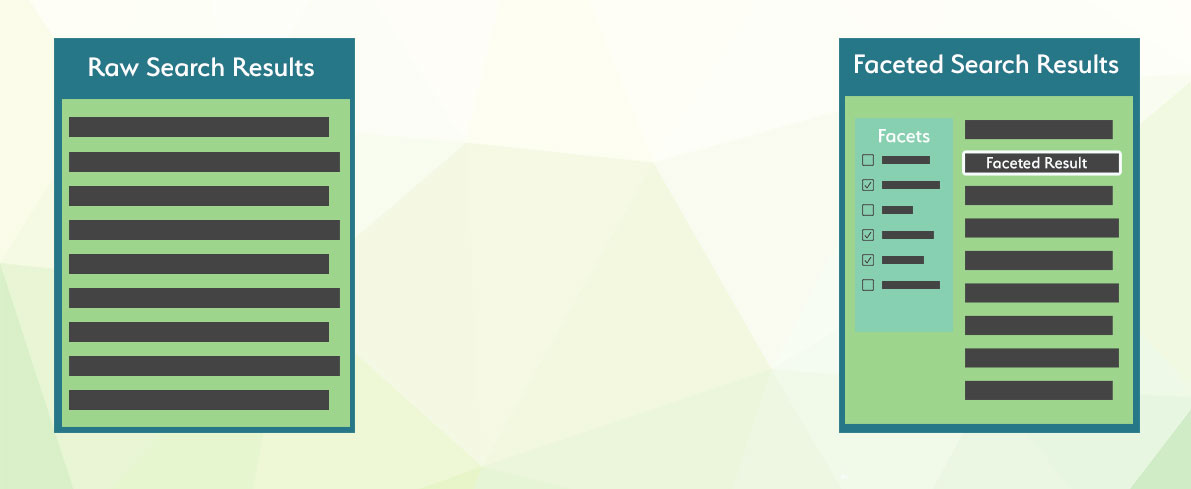
当处理大量数据和各种相互关联的属性时,例如尺寸、颜色、制造商或其他因素,分面搜索就派上用场了。在查询海量数据时,搜索结果常常包含许多不符合用户预期的条目。分面搜索使最终用户能够明确定义他们希望搜索结果满足的条件。
在 Manticore Search 中,有一项优化功能,它会保留原始查询的结果集,并在每个分面计算中重复使用。由于聚合操作应用于已计算好的文档子集,因此速度很快,总执行时间通常仅比初始查询稍长一些。分面可以添加到任何查询中,分面可以是任何属性或表达式。分面结果包括分面值和分面计数。可以通过在查询末尾声明分面,使用 SQL SELECT 语句访问分面。
分面值可以来自属性、JSON 属性内的 JSON 属性或表达式。分面值也可以使用别名,但别名在所有结果集(主查询结果集和其他分面结果集)中必须是唯一的。分面值源自聚合的属性/表达式,但也可以来自另一个属性/表达式。
FACET {expr_list} [BY {expr_list}] [ALL FILTERS | FILTERS {expr_list} | EXCLUDE FILTERS {expr_list}] [MODE {strict | auto | max}] [DISTINCT {field_name}] [ORDER BY {expr | FACET()} {ASC | DESC}] [LIMIT [offset,] count]
多个分面声明必须用空格分隔。
分面可以在 aggs 节点中定义:
"aggs" :
{
"group name" :
{
"terms" :
{
"field":"attribute name",
"size": 1000
}
"sort": [ {"attribute name": { "order":"asc" }} ]
}
}
其中:
group name是分配给聚合的别名field值必须包含要进行分面的属性或表达式的名称- 可选的
size指定结果中包含的最大桶数。未指定时,继承主查询的限制。更多详细信息可以在分面结果大小部分找到。 - 可选的
sort指定一个属性数组和/或附加属性,使用与主查询中的"sort"参数相同的语法。 - 可选的顶级
facet_filter_mode控制所有聚合如何继承主查询的过滤器。支持的值为strict、auto和max。 - 可选的每个聚合
mode覆盖该聚合继承的模式。支持的值为strict、auto和max。filter_mode保留为向后兼容的别名。 - 可选的每个聚合
filters明确列出应应用于该聚合的主查询属性过滤器。 - 可选的每个聚合
exclude_filters明确列出不应应用于该聚合的主查询属性过滤器。 auto和max属性结果集可以包含一个status桶标记。返回的值为selected、available和unavailable。
结果集将包含一个 aggregations 节点,其中包含返回的分面,key 是聚合值,doc_count 是聚合计数。
"aggregations": {
"group name": {
"buckets": [
{
"key": 10,
"doc_count": 1019
},
{
"key": 9,
"doc_count": 954
},
{
"key": 8,
"doc_count": 1021
},
{
"key": 7,
"doc_count": 1011
},
{
"key": 6,
"doc_count": 997
}
]
}
}
- SQL
- JSON
- PHP
- Python
- Python-asyncio
- Javascript
- Java
- C#
- Rust
- TypeScript
- Go
SELECT *, price AS aprice FROM facetdemo LIMIT 10 FACET price LIMIT 10 FACET brand_id LIMIT 5;POST /search -d '
{
"table" : "facetdemo",
"query" : {"match_all" : {} },
"limit": 5,
"aggs" :
{
"group_property" :
{
"terms" :
{
"field":"price"
}
},
"group_brand_id" :
{
"terms" :
{
"field":"brand_id"
}
}
}
}
'$index->setName('facetdemo');
$search = $index->search('');
$search->limit(5);
$search->facet('price','price');
$search->facet('brand_id','group_brand_id');
$results = $search->get();res =searchApi.search({"table":"facetdemo","query":{"match_all":{}},"limit":5,"aggs":{"group_property":{"terms":{"field":"price",}},"group_brand_id":{"terms":{"field":"brand_id"}}}})res = await searchApi.search({"table":"facetdemo","query":{"match_all":{}},"limit":5,"aggs":{"group_property":{"terms":{"field":"price",}},"group_brand_id":{"terms":{"field":"brand_id"}}}})res = await searchApi.search({"table":"facetdemo","query":{"match_all":{}},"limit":5,"aggs":{"group_property":{"terms":{"field":"price",}},"group_brand_id":{"terms":{"field":"brand_id"}}}});aggs = new HashMap<String,Object>(){{
put("group_property", new HashMap<String,Object>(){{
put("terms", new HashMap<String,Object>(){{
put("field","price");
}});
}});
put("group_brand_id", new HashMap<String,Object>(){{
put("terms", new HashMap<String,Object>(){{
put("field","brand_id");
}});
}});
}};
searchRequest = new SearchRequest();
searchRequest.setIndex("facetdemo");
searchRequest.setLimit(5);
query = new HashMap<String,Object>();
query.put("match_all",null);
searchRequest.setQuery(query);
searchRequest.setAggs(aggs);
searchResponse = searchApi.search(searchRequest);var agg1 = new Aggregation("group_property", "price");
var agg2 = new Aggregation("group_brand_id", "brand_id");
object query = new { match_all=null };
var searchRequest = new SearchRequest("facetdemo", query);
searchRequest.Limit = 5;
searchRequest.Aggs = new List<Aggregation> {agg1, agg2};
var searchResponse = searchApi.Search(searchRequest);let query = SearchQuery::new();
let aggTerms1 = AggTerms::new("price");
let agg1 = Aggregation {
terms: Some(Box::new(aggTerms1)),
..Default::default(),
};
let aggTerms2 = AggTerms::new("brand_id");
let agg2 = Aggregation {
terms: Some(Box::new(aggTerms2)),
..Default::default(),
};
let mut aggs = HashMap::new();
aggs.insert("group_property".to_string(), agg1);
aggs.insert("group_brand_id".to_string(), agg2);
let search_req = SearchRequest {
table: "facetdemo".to_string(),
query: Some(Box::new(query)),
aggs: serde_json::json!(aggs),
limit: serde_json::json!(5),
..Default::default(),
};
let search_res = search_api.search(search_req).await;res = await searchApi.search({
index: 'test',
query: { match_all:{} },
aggs: {
name_group: {
terms: { field : 'name' }
},
cat_group: {
terms: { field: 'cat' }
}
}
});query := map[string]interface{} {}
searchRequest.SetQuery(query)
aggByName := manticoreclient.NewAggregation()
aggTerms := manticoreclient.NewAggregationTerms()
aggTerms.SetField("name")
aggByName.SetTerms(aggTerms)
aggByCat := manticoreclient.NewAggregation()
aggTerms.SetField("cat")
aggByCat.SetTerms(aggTerms)
aggs := map[string]Aggregation{} { "name_group": aggByName, "cat_group": aggByCat }
searchRequest.SetAggs(aggs)
res, _, _ := apiClient.SearchAPI.Search(context.Background()).SearchRequest(*searchRequest).Execute()+------+-------+----------+---------------------+------------+-------------+---------------------------------------+------------+--------+
| id | price | brand_id | title | brand_name | property | j | categories | aprice |
+------+-------+----------+---------------------+------------+-------------+---------------------------------------+------------+--------+
| 1 | 306 | 1 | Product Ten Three | Brand One | Six_Ten | {"prop1":66,"prop2":91,"prop3":"One"} | 10,11 | 306 |
| 2 | 400 | 10 | Product Three One | Brand Ten | Four_Three | {"prop1":69,"prop2":19,"prop3":"One"} | 13,14 | 400 |
...
| 9 | 560 | 6 | Product Two Five | Brand Six | Eight_Two | {"prop1":90,"prop2":84,"prop3":"One"} | 13,14 | 560 |
| 10 | 229 | 9 | Product Three Eight | Brand Nine | Seven_Three | {"prop1":84,"prop2":39,"prop3":"One"} | 12,13 | 229 |
+------+-------+----------+---------------------+------------+-------------+---------------------------------------+------------+--------+
10 rows in set (0.00 sec)
+-------+----------+
| price | count(*) |
+-------+----------+
| 306 | 7 |
| 400 | 13 |
...
| 229 | 9 |
| 595 | 10 |
+-------+----------+
10 rows in set (0.00 sec)
+----------+----------+
| brand_id | count(*) |
+----------+----------+
| 1 | 1013 |
| 10 | 998 |
| 5 | 1007 |
| 8 | 1033 |
| 7 | 965 |
+----------+----------+
5 rows in set (0.00 sec){
"took": 3,
"timed_out": false,
"hits": {
"total": 10000,
"hits": [
{
"_id": 1,
"_score": 1,
"_source": {
"price": 197,
"brand_id": 10,
"brand_name": "Brand Ten",
"categories": [
10
]
}
},
...
{
"_id": 5,
"_score": 1,
"_source": {
"price": 805,
"brand_id": 7,
"brand_name": "Brand Seven",
"categories": [
11,
12,
13
]
}
}
]
},
"aggregations": {
"group_property": {
"buckets": [
{
"key": 1000,
"doc_count": 11
},
{
"key": 999,
"doc_count": 12
},
...
{
"key": 991,
"doc_count": 7
}
]
},
"group_brand_id": {
"buckets": [
{
"key": 10,
"doc_count": 1019
},
{
"key": 9,
"doc_count": 954
},
{
"key": 8,
"doc_count": 1021
},
{
"key": 7,
"doc_count": 1011
},
{
"key": 6,
"doc_count": 997
}
]
}
}
}Array
(
[price] => Array
(
[buckets] => Array
(
[0] => Array
(
[key] => 1000
[doc_count] => 11
)
[1] => Array
(
[key] => 999
[doc_count] => 12
)
[2] => Array
(
[key] => 998
[doc_count] => 7
)
[3] => Array
(
[key] => 997
[doc_count] => 14
)
[4] => Array
(
[key] => 996
[doc_count] => 8
)
)
)
[group_brand_id] => Array
(
[buckets] => Array
(
[0] => Array
(
[key] => 10
[doc_count] => 1019
)
[1] => Array
(
[key] => 9
[doc_count] => 954
)
[2] => Array
(
[key] => 8
[doc_count] => 1021
)
[3] => Array
(
[key] => 7
[doc_count] => 1011
)
[4] => Array
(
[key] => 6
[doc_count] => 997
)
)
)
){'aggregations': {u'group_brand_id': {u'buckets': [{u'doc_count': 1019,
u'key': 10},
{u'doc_count': 954,
u'key': 9},
{u'doc_count': 1021,
u'key': 8},
{u'doc_count': 1011,
u'key': 7},
{u'doc_count': 997,
u'key': 6}]},
u'group_property': {u'buckets': [{u'doc_count': 11,
u'key': 1000},
{u'doc_count': 12,
u'key': 999},
{u'doc_count': 7,
u'key': 998},
{u'doc_count': 14,
u'key': 997},
{u'doc_count': 8,
u'key': 996}]}},
'hits': {'hits': [{u'_id': u'1',
u'_score': 1,
u'_source': {u'brand_id': 10,
u'brand_name': u'Brand Ten',
u'categories': [10],
u'price': 197,
u'property': u'Six',
u'title': u'Product Eight One'}},
{u'_id': u'2',
u'_score': 1,
u'_source': {u'brand_id': 6,
u'brand_name': u'Brand Six',
u'categories': [12, 13, 14],
u'price': 671,
u'property': u'Four',
u'title': u'Product Nine Seven'}},
{u'_id': u'3',
u'_score': 1,
u'_source': {u'brand_id': 3,
u'brand_name': u'Brand Three',
u'categories': [13, 14, 15],
u'price': 92,
u'property': u'Six',
u'title': u'Product Five Four'}},
{u'_id': u'4',
u'_score': 1,
u'_source': {u'brand_id': 10,
u'brand_name': u'Brand Ten',
u'categories': [11],
u'price': 713,
u'property': u'Five',
u'title': u'Product Eight Nine'}},
{u'_id': u'5',
u'_score': 1,
u'_source': {u'brand_id': 7,
u'brand_name': u'Brand Seven',
u'categories': [11, 12, 13],
u'price': 805,
u'property': u'Two',
u'title': u'Product Ten Three'}}],
'max_score': None,
'total': 10000},
'profile': None,
'timed_out': False,
'took': 4}{'aggregations': {u'group_brand_id': {u'buckets': [{u'doc_count': 1019,
u'key': 10},
{u'doc_count': 954,
u'key': 9},
{u'doc_count': 1021,
u'key': 8},
{u'doc_count': 1011,
u'key': 7},
{u'doc_count': 997,
u'key': 6}]},
u'group_property': {u'buckets': [{u'doc_count': 11,
u'key': 1000},
{u'doc_count': 12,
u'key': 999},
{u'doc_count': 7,
u'key': 998},
{u'doc_count': 14,
u'key': 997},
{u'doc_count': 8,
u'key': 996}]}},
'hits': {'hits': [{u'_id': u'1',
u'_score': 1,
u'_source': {u'brand_id': 10,
u'brand_name': u'Brand Ten',
u'categories': [10],
u'price': 197,
u'property': u'Six',
u'title': u'Product Eight One'}},
{u'_id': u'2',
u'_score': 1,
u'_source': {u'brand_id': 6,
u'brand_name': u'Brand Six',
u'categories': [12, 13, 14],
u'price': 671,
u'property': u'Four',
u'title': u'Product Nine Seven'}},
{u'_id': u'3',
u'_score': 1,
u'_source': {u'brand_id': 3,
u'brand_name': u'Brand Three',
u'categories': [13, 14, 15],
u'price': 92,
u'property': u'Six',
u'title': u'Product Five Four'}},
{u'_id': u'4',
u'_score': 1,
u'_source': {u'brand_id': 10,
u'brand_name': u'Brand Ten',
u'categories': [11],
u'price': 713,
u'property': u'Five',
u'title': u'Product Eight Nine'}},
{u'_id': u'5',
u'_score': 1,
u'_source': {u'brand_id': 7,
u'brand_name': u'Brand Seven',
u'categories': [11, 12, 13],
u'price': 805,
u'property': u'Two',
u'title': u'Product Ten Three'}}],
'max_score': None,
'total': 10000},
'profile': None,
'timed_out': False,
'took': 4}{"took":0,"timed_out":false,"hits":{"total":10000,"hits":[{"_id": 1,"_score":1,"_source":{"price":197,"brand_id":10,"brand_name":"Brand Ten","categories":[10],"title":"Product Eight One","property":"Six"}},{"_id": 2,"_score":1,"_source":{"price":671,"brand_id":6,"brand_name":"Brand Six","categories":[12,13,14],"title":"Product Nine Seven","property":"Four"}},{"_id": 3,"_score":1,"_source":{"price":92,"brand_id":3,"brand_name":"Brand Three","categories":[13,14,15],"title":"Product Five Four","property":"Six"}},{"_id": 4,"_score":1,"_source":{"price":713,"brand_id":10,"brand_name":"Brand Ten","categories":[11],"title":"Product Eight Nine","property":"Five"}},{"_id": 5,"_score":1,"_source":{"price":805,"brand_id":7,"brand_name":"Brand Seven","categories":[11,12,13],"title":"Product Ten Three","property":"Two"}}]}}class SearchResponse {
took: 0
timedOut: false
aggregations: {group_property={buckets=[{key=1000, doc_count=11}, {key=999, doc_count=12}, {key=998, doc_count=7}, {key=997, doc_count=14}, {key=996, doc_count=8}]}, group_brand_id={buckets=[{key=10, doc_count=1019}, {key=9, doc_count=954}, {key=8, doc_count=1021}, {key=7, doc_count=1011}, {key=6, doc_count=997}]}}
hits: class SearchResponseHits {
maxScore: null
total: 10000
hits: [{_id=1, _score=1, _source={price=197, brand_id=10, brand_name=Brand Ten, categories=[10], title=Product Eight One, property=Six}}, {_id=2, _score=1, _source={price=671, brand_id=6, brand_name=Brand Six, categories=[12, 13, 14], title=Product Nine Seven, property=Four}}, {_id=3, _score=1, _source={price=92, brand_id=3, brand_name=Brand Three, categories=[13, 14, 15], title=Product Five Four, property=Six}}, {_id=4, _score=1, _source={price=713, brand_id=10, brand_name=Brand Ten, categories=[11], title=Product Eight Nine, property=Five}}, {_id=5, _score=1, _source={price=805, brand_id=7, brand_name=Brand Seven, categories=[11, 12, 13], title=Product Ten Three, property=Two}}]
}
profile: null
}class SearchResponse {
took: 0
timedOut: false
aggregations: {group_property={buckets=[{key=1000, doc_count=11}, {key=999, doc_count=12}, {key=998, doc_count=7}, {key=997, doc_count=14}, {key=996, doc_count=8}]}, group_brand_id={buckets=[{key=10, doc_count=1019}, {key=9, doc_count=954}, {key=8, doc_count=1021}, {key=7, doc_count=1011}, {key=6, doc_count=997}]}}
hits: class SearchResponseHits {
maxScore: null
total: 10000
hits: [{_id=1, _score=1, _source={price=197, brand_id=10, brand_name=Brand Ten, categories=[10], title=Product Eight One, property=Six}}, {_id=2, _score=1, _source={price=671, brand_id=6, brand_name=Brand Six, categories=[12, 13, 14], title=Product Nine Seven, property=Four}}, {_id=3, _score=1, _source={price=92, brand_id=3, brand_name=Brand Three, categories=[13, 14, 15], title=Product Five Four, property=Six}}, {_id=4, _score=1, _source={price=713, brand_id=10, brand_name=Brand Ten, categories=[11], title=Product Eight Nine, property=Five}}, {_id=5, _score=1, _source={price=805, brand_id=7, brand_name=Brand Seven, categories=[11, 12, 13], title=Product Ten Three, property=Two}}]
}
profile: null
}class SearchResponse {
took: 0
timedOut: false
aggregations: {group_property={buckets=[{key=1000, doc_count=11}, {key=999, doc_count=12}, {key=998, doc_count=7}, {key=997, doc_count=14}, {key=996, doc_count=8}]}, group_brand_id={buckets=[{key=10, doc_count=1019}, {key=9, doc_count=954}, {key=8, doc_count=1021}, {key=7, doc_count=1011}, {key=6, doc_count=997}]}}
hits: class SearchResponseHits {
maxScore: null
total: 10000
hits: [{_id=1, _score=1, _source={price=197, brand_id=10, brand_name=Brand Ten, categories=[10], title=Product Eight One, property=Six}}, {_id=2, _score=1, _source={price=671, brand_id=6, brand_name=Brand Six, categories=[12, 13, 14], title=Product Nine Seven, property=Four}}, {_id=3, _score=1, _source={price=92, brand_id=3, brand_name=Brand Three, categories=[13, 14, 15], title=Product Five Four, property=Six}}, {_id=4, _score=1, _source={price=713, brand_id=10, brand_name=Brand Ten, categories=[11], title=Product Eight Nine, property=Five}}, {_id=5, _score=1, _source={price=805, brand_id=7, brand_name=Brand Seven, categories=[11, 12, 13], title=Product Ten Three, property=Two}}]
}
profile: null
}{
"took": 0,
"timed_out": false,
"hits": {
"total": 5,
"hits": [
{
"_id": 1,
"_score": 1,
"_source": {
"content": "Text 1",
"name": "Doc 1",
"cat": 1
}
},
...
{
"_id": 5,
"_score": 1,
"_source": {
"content": "Text 5",
"name": "Doc 5",
"cat": 4
}
}
]
},
"aggregations": {
"name_group": {
"buckets": [
{
"key": "Doc 1",
"doc_count": 1
},
...
{
"key": "Doc 5",
"doc_count": 1
}
]
},
"cat_group": {
"buckets": [
{
"key": 1,
"doc_count": 2
},
...
{
"key": 4,
"doc_count": 1
}
]
}
}
}{
"took": 0,
"timed_out": false,
"hits": {
"total": 5,
"hits": [
{
"_id": 1,
"_score": 1,
"_source": {
"content": "Text 1",
"name": "Doc 1",
"cat": 1
}
},
...
{
"_id": 5,
"_score": 1,
"_source": {
"content": "Text 5",
"name": "Doc 5",
"cat": 4
}
}
]
},
"aggregations": {
"name_group": {
"buckets": [
{
"key": "Doc 1",
"doc_count": 1
},
...
{
"key": "Doc 5",
"doc_count": 1
}
]
},
"cat_group": {
"buckets": [
{
"key": 1,
"doc_count": 2
},
...
{
"key": 4,
"doc_count": 1
}
]
}
}
}可以通过聚合另一个属性或表达式对数据进行分面。例如,如果文档同时包含品牌ID和名称,我们可以在分面中返回品牌名称,但聚合品牌ID。这可以通过使用 FACET {expr1} BY {expr2} 来实现。
- SQL
- JSON
SELECT * FROM facetdemo FACET brand_name by brand_id;POST /sql -d "SELECT brand_name, brand_id FROM facetdemo FACET brand_name by brand_id"+------+-------+----------+---------------------+-------------+-------------+---------------------------------------+------------+
| id | price | brand_id | title | brand_name | property | j | categories |
+------+-------+----------+---------------------+-------------+-------------+---------------------------------------+------------+
| 1 | 306 | 1 | Product Ten Three | Brand One | Six_Ten | {"prop1":66,"prop2":91,"prop3":"One"} | 10,11 |
| 2 | 400 | 10 | Product Three One | Brand Ten | Four_Three | {"prop1":69,"prop2":19,"prop3":"One"} | 13,14 |
....
| 19 | 855 | 1 | Product Seven Two | Brand One | Eight_Seven | {"prop1":63,"prop2":78,"prop3":"One"} | 10,11,12 |
| 20 | 31 | 9 | Product Four One | Brand Nine | Ten_Four | {"prop1":79,"prop2":42,"prop3":"One"} | 12,13,14 |
+------+-------+----------+---------------------+-------------+-------------+---------------------------------------+------------+
20 rows in set (0.00 sec)
+-------------+----------+
| brand_name | count(*) |
+-------------+----------+
| Brand One | 1013 |
| Brand Ten | 998 |
| Brand Five | 1007 |
| Brand Nine | 944 |
| Brand Two | 990 |
| Brand Six | 1039 |
| Brand Three | 1016 |
| Brand Four | 994 |
| Brand Eight | 1033 |
| Brand Seven | 965 |
+-------------+----------+
10 rows in set (0.00 sec){
"took": 0,
"timed_out": false,
"hits": {
"total": 20,
"total_relation": "eq",
"hits": [
{
"_id": 1,
"_score": 1500,
"_source": {
"brand_name": "Brand One",
"brand_id": 1
}
},
{
"_id": 2,
"_score": 1500,
"_source": {
"brand_name": "Brand Ten",
"brand_id": 10
}
},
...
{
"_id": 20,
"_score": 1500,
"_source": {
"brand_name": "Brand Nine",
"brand_id": 9
}
},
]
},
"aggregations": {
"brand_name": {
"buckets": [
{
"key": "Brand One",
"doc_count": 1013
},
{
"key": "Brand Ten",
"doc_count": 998
},
...
{
"key": "Brand Seven",
"doc_count": 965
},
]
}
}
}如果需要从 FACET 返回的桶中移除重复项,可以使用 DISTINCT field_name,其中 field_name 是您希望用于去重的字段。如果您对分布式表进行 FACET 查询,并且不确定表中是否有唯一的ID(表应该是本地的且具有相同的模式),也可以是 id(这是默认值)。
如果查询中有多个 FACET 声明,field_name 在所有声明中应该相同。
DISTINCT 会在 count(*) 列之前返回一个额外的列 count(distinct ...),使您无需进行另一个查询即可获得两个结果。
- SQL
- JSON
SELECT brand_name, property FROM facetdemo FACET brand_name distinct property;POST /sql -d 'SELECT brand_name, property FROM facetdemo FACET brand_name distinct property'+-------------+----------+
| brand_name | property |
+-------------+----------+
| Brand Nine | Four |
| Brand Ten | Four |
| Brand One | Five |
| Brand Seven | Nine |
| Brand Seven | Seven |
| Brand Three | Seven |
| Brand Nine | Five |
| Brand Three | Eight |
| Brand Two | Eight |
| Brand Six | Eight |
| Brand Ten | Four |
| Brand Ten | Two |
| Brand Four | Ten |
| Brand One | Nine |
| Brand Four | Eight |
| Brand Nine | Seven |
| Brand Four | Five |
| Brand Three | Four |
| Brand Four | Two |
| Brand Four | Eight |
+-------------+----------+
20 rows in set (0.00 sec)
+-------------+--------------------------+----------+
| brand_name | count(distinct property) | count(*) |
+-------------+--------------------------+----------+
| Brand Nine | 3 | 3 |
| Brand Ten | 2 | 3 |
| Brand One | 2 | 2 |
| Brand Seven | 2 | 2 |
| Brand Three | 3 | 3 |
| Brand Two | 1 | 1 |
| Brand Six | 1 | 1 |
| Brand Four | 4 | 5 |
+-------------+--------------------------+----------+
8 rows in set (0.00 sec){
"took": 0,
"timed_out": false,
"hits": {
"total": 20,
"total_relation": "eq",
"hits": [
{
"_score": 1,
"_source": {
"brand_name": "Brand Nine",
"property": "Four"
}
},
{
"_score": 1,
"_source": {
"brand_name": "Brand Ten",
"property": "Four"
}
},
...
{
"_score": 1,
"_source": {
"brand_name": "Brand Four",
"property": "Eight"
}
}
]
},
"aggregations": {
"brand_name": {
"buckets": [
{
"key": "Brand Nine",
"doc_count": 3,
"count(distinct property)": 3
},
{
"key": "Brand Ten",
"doc_count": 3,
"count(distinct property)": 2
},
...
{
"key": "Brand Two",
"doc_count": 1,
"count(distinct property)": 1
},
{
"key": "Brand Six",
"doc_count": 1,
"count(distinct property)": 1
},
{
"key": "Brand Four",
"doc_count": 5,
"count(distinct property)": 4
}
]
}
}
}- SQL
- JSON
- PHP
- Python
- Python-asyncio
- Javascript
- Java
- C#
- Rust
- TypeScript
- Go
SELECT * FROM facetdemo FACET INTERVAL(price,200,400,600,800) AS price_range ;POST /search -d '
{
"table": "facetdemo",
"query":
{
"match_all": {}
},
"expressions":
{
"price_range": "INTERVAL(price,200,400,600,800)"
},
"aggs":
{
"group_property":
{
"terms":
{
"field": "price_range"
}
}
}
}$index->setName('facetdemo');
$search = $index->search('');
$search->limit(5);
$search->expression('price_range','INTERVAL(price,200,400,600,800)');
$search->facet('price_range','group_property');
$results = $search->get();
print_r($results->getFacets());res =searchApi.search({"table":"facetdemo","query":{"match_all":{}},"expressions":{"price_range":"INTERVAL(price,200,400,600,800)"},"aggs":{"group_property":{"terms":{"field":"price_range"}}}})res = await searchApi.search({"table":"facetdemo","query":{"match_all":{}},"expressions":{"price_range":"INTERVAL(price,200,400,600,800)"},"aggs":{"group_property":{"terms":{"field":"price_range"}}}})res = await searchApi.search({"table":"facetdemo","query":{"match_all":{}},"expressions":{"price_range":"INTERVAL(price,200,400,600,800)"},"aggs":{"group_property":{"terms":{"field":"price_range"}}}});searchRequest = new SearchRequest();
expressions = new HashMap<String,Object>(){{
put("price_range","INTERVAL(price,200,400,600,800)");
}};
searchRequest.setExpressions(expressions);
aggs = new HashMap<String,Object>(){{
put("group_property", new HashMap<String,Object>(){{
put("terms", new HashMap<String,Object>(){{
put("field","price_range");
}});
}});
}};
searchRequest.setIndex("facetdemo");
searchRequest.setLimit(5);
query = new HashMap<String,Object>();
query.put("match_all",null);
searchRequest.setQuery(query);
searchRequest.setAggs(aggs);
searchResponse = searchApi.search(searchRequest);var expr = new Dictionary<string, string> { {"price_range", "INTERVAL(price,200,400,600,800"} } ;
var agg = new Aggregation("group_property", "price_range");
object query = new { match_all=null };
var searchRequest = new SearchRequest("facetdemo", query);
searchRequest.Limit = 5;
searchRequest.Expressions = new List<Object> {expr};
searchRequest.Aggs = new List<Aggregation> {agg};
var searchResponse = searchApi.Search(searchRequest);let query = SearchQuery::new();
let aggTerms1 = AggTerms::new("price_range");
let agg1 = Aggregation {
terms: Some(Box::new(aggTerms1)),
..Default::default(),
};
let mut aggs = HashMap::new();
aggs.insert("group_property".to_string(), agg1);
let mut expr = HashMap::new();
expr.insert("price_range".to_string(), "INTERVAL(price,200,400,600,800");
let expressions: [HashMap; 1] = [expr];
let search_req = SearchRequest {
table: "facetdemo".to_string(),
query: Some(Box::new(query)),
expressions: serde_json::json!(expressions),
aggs: serde_json::json!(aggs),
limit: serde_json::json!(5),
..Default::default(),
};
let search_res = search_api.search(search_req).await;res = await searchApi.search({
index: 'test',
query: { match_all:{} },
expressions: { cat_range: "INTERVAL(cat,1,3)" }
aggs: {
expr_group: {
terms: { field : 'cat_range' }
}
}
});query := map[string]interface{} {}
searchRequest.SetQuery(query)
exprs := map[string]string{} { "cat_range": "INTERVAL(cat,1,3)" }
searchRequest.SetExpressions(exprs)
aggByExpr := manticoreclient.NewAggregation()
aggTerms := manticoreclient.NewAggregationTerms()
aggTerms.SetField("cat_range")
aggByExpr.SetTerms(aggTerms)
aggs := map[string]Aggregation{} { "expr_group": aggByExpr }
searchRequest.SetAggs(aggs)
res, _, _ := apiClient.SearchAPI.Search(context.Background()).SearchRequest(*searchRequest).Execute()+------+-------+----------+---------------------+-------------+-------------+---------------------------------------+------------+-------------+
| id | price | brand_id | title | brand_name | property | j | categories | price_range |
+------+-------+----------+---------------------+-------------+-------------+---------------------------------------+------------+-------------+
| 1 | 306 | 1 | Product Ten Three | Brand One | Six_Ten | {"prop1":66,"prop2":91,"prop3":"One"} | 10,11 | 1 |
...
+------+-------+----------+---------------------+-------------+-------------+---------------------------------------+------------+-------------+
20 rows in set (0.00 sec)
+-------------+----------+
| price_range | count(*) |
+-------------+----------+
| 0 | 1885 |
| 3 | 1973 |
| 4 | 2100 |
| 2 | 1999 |
| 1 | 2043 |
+-------------+----------+
5 rows in set (0.01 sec){
"took": 3,
"timed_out": false,
"hits": {
"total": 10000,
"hits": [
{
"_id": 1,
"_score": 1,
"_source": {
"price": 197,
"brand_id": 10,
"brand_name": "Brand Ten",
"categories": [
10
],
"price_range": 0
}
},
...
{
"_id": 20,
"_score": 1,
"_source": {
"price": 227,
"brand_id": 3,
"brand_name": "Brand Three",
"categories": [
12,
13
],
"price_range": 1
}
}
]
},
"aggregations": {
"group_property": {
"buckets": [
{
"key": 4,
"doc_count": 2100
},
{
"key": 3,
"doc_count": 1973
},
{
"key": 2,
"doc_count": 1999
},
{
"key": 1,
"doc_count": 2043
},
{
"key": 0,
"doc_count": 1885
}
]
}
}
}Array
(
[group_property] => Array
(
[buckets] => Array
(
[0] => Array
(
[key] => 4
[doc_count] => 2100
)
[1] => Array
(
[key] => 3
[doc_count] => 1973
)
[2] => Array
(
[key] => 2
[doc_count] => 1999
)
[3] => Array
(
[key] => 1
[doc_count] => 2043
)
[4] => Array
(
[key] => 0
[doc_count] => 1885
)
)
)
){'aggregations': {u'group_brand_id': {u'buckets': [{u'doc_count': 1019,
u'key': 10},
{u'doc_count': 954,
u'key': 9},
{u'doc_count': 1021,
u'key': 8},
{u'doc_count': 1011,
u'key': 7},
{u'doc_count': 997,
u'key': 6}]},
u'group_property': {u'buckets': [{u'doc_count': 11,
u'key': 1000},
{u'doc_count': 12,
u'key': 999},
{u'doc_count': 7,
u'key': 998},
{u'doc_count': 14,
u'key': 997},
{u'doc_count': 8,
u'key': 996}]}},
'hits': {'hits': [{u'_id': u'1',
u'_score': 1,
u'_source': {u'brand_id': 10,
u'brand_name': u'Brand Ten',
u'categories': [10],
u'price': 197,
u'property': u'Six',
u'title': u'Product Eight One'}},
{u'_id': u'2',
u'_score': 1,
u'_source': {u'brand_id': 6,
u'brand_name': u'Brand Six',
u'categories': [12, 13, 14],
u'price': 671,
u'property': u'Four',
u'title': u'Product Nine Seven'}},
{u'_id': u'3',
u'_score': 1,
u'_source': {u'brand_id': 3,
u'brand_name': u'Brand Three',
u'categories': [13, 14, 15],
u'price': 92,
u'property': u'Six',
u'title': u'Product Five Four'}},
{u'_id': u'4',
u'_score': 1,
u'_source': {u'brand_id': 10,
u'brand_name': u'Brand Ten',
u'categories': [11],
u'price': 713,
u'property': u'Five',
u'title': u'Product Eight Nine'}},
{u'_id': u'5',
u'_score': 1,
u'_source': {u'brand_id': 7,
u'brand_name': u'Brand Seven',
u'categories': [11, 12, 13],
u'price': 805,
u'property': u'Two',
u'title': u'Product Ten Three'}}],
'max_score': None,
'total': 10000},
'profile': None,
'timed_out': False,
'took': 0}{'aggregations': {u'group_brand_id': {u'buckets': [{u'doc_count': 1019,
u'key': 10},
{u'doc_count': 954,
u'key': 9},
{u'doc_count': 1021,
u'key': 8},
{u'doc_count': 1011,
u'key': 7},
{u'doc_count': 997,
u'key': 6}]},
u'group_property': {u'buckets': [{u'doc_count': 11,
u'key': 1000},
{u'doc_count': 12,
u'key': 999},
{u'doc_count': 7,
u'key': 998},
{u'doc_count': 14,
u'key': 997},
{u'doc_count': 8,
u'key': 996}]}},
'hits': {'hits': [{u'_id': u'1',
u'_score': 1,
u'_source': {u'brand_id': 10,
u'brand_name': u'Brand Ten',
u'categories': [10],
u'price': 197,
u'property': u'Six',
u'title': u'Product Eight One'}},
{u'_id': u'2',
u'_score': 1,
u'_source': {u'brand_id': 6,
u'brand_name': u'Brand Six',
u'categories': [12, 13, 14],
u'price': 671,
u'property': u'Four',
u'title': u'Product Nine Seven'}},
{u'_id': u'3',
u'_score': 1,
u'_source': {u'brand_id': 3,
u'brand_name': u'Brand Three',
u'categories': [13, 14, 15],
u'price': 92,
u'property': u'Six',
u'title': u'Product Five Four'}},
{u'_id': u'4',
u'_score': 1,
u'_source': {u'brand_id': 10,
u'brand_name': u'Brand Ten',
u'categories': [11],
u'price': 713,
u'property': u'Five',
u'title': u'Product Eight Nine'}},
{u'_id': u'5',
u'_score': 1,
u'_source': {u'brand_id': 7,
u'brand_name': u'Brand Seven',
u'categories': [11, 12, 13],
u'price': 805,
u'property': u'Two',
u'title': u'Product Ten Three'}}],
'max_score': None,
'total': 10000},
'profile': None,
'timed_out': False,
'took': 0}{"took":0,"timed_out":false,"hits":{"total":10000,"hits":[{"_id": 1,"_score":1,"_source":{"price":197,"brand_id":10,"brand_name":"Brand Ten","categories":[10],"title":"Product Eight One","property":"Six","price_range":0}},{"_id": 2,"_score":1,"_source":{"price":671,"brand_id":6,"brand_name":"Brand Six","categories":[12,13,14],"title":"Product Nine Seven","property":"Four","price_range":3}},{"_id": 3,"_score":1,"_source":{"price":92,"brand_id":3,"brand_name":"Brand Three","categories":[13,14,15],"title":"Product Five Four","property":"Six","price_range":0}},{"_id": 4,"_score":1,"_source":{"price":713,"brand_id":10,"brand_name":"Brand Ten","categories":[11],"title":"Product Eight Nine","property":"Five","price_range":3}},{"_id": 5,"_score":1,"_source":{"price":805,"brand_id":7,"brand_name":"Brand Seven","categories":[11,12,13],"title":"Product Ten Three","property":"Two","price_range":4}},{"_id": 6,"_score":1,"_source":{"price":420,"brand_id":2,"brand_name":"Brand Two","categories":[10,11],"title":"Product Two One","property":"Six","price_range":2}},{"_id": 7,"_score":1,"_source":{"price":412,"brand_id":9,"brand_name":"Brand Nine","categories":[10],"title":"Product Four Nine","property":"Eight","price_range":2}},{"_id": 8,"_score":1,"_source":{"price":300,"brand_id":9,"brand_name":"Brand Nine","categories":[13,14,15],"title":"Product Eight Four","property":"Five","price_range":1}},{"_id": 9,"_score":1,"_source":{"price":728,"brand_id":1,"brand_name":"Brand One","categories":[11],"title":"Product Nine Six","property":"Four","price_range":3}},{"_id": 10,"_score":1,"_source":{"price":622,"brand_id":3,"brand_name":"Brand Three","categories":[10,11],"title":"Product Six Seven","property":"Two","price_range":3}},{"_id": 11,"_score":1,"_source":{"price":462,"brand_id":5,"brand_name":"Brand Five","categories":[10,11],"title":"Product Ten Two","property":"Eight","price_range":2}},{"_id": 12,"_score":1,"_source":{"price":939,"brand_id":7,"brand_name":"Brand Seven","categories":[12,13],"title":"Product Nine Seven","property":"Six","price_range":4}},{"_id": 13,"_score":1,"_source":{"price":948,"brand_id":8,"brand_name":"Brand Eight","categories":[12],"title":"Product Ten One","property":"Six","price_range":4}},{"_id": 14,"_score":1,"_source":{"price":900,"brand_id":9,"brand_name":"Brand Nine","categories":[12,13,14],"title":"Product Ten Nine","property":"Three","price_range":4}},{"_id": 15,"_score":1,"_source":{"price":224,"brand_id":3,"brand_name":"Brand Three","categories":[13],"title":"Product Two Six","property":"Four","price_range":1}},{"_id": 16,"_score":1,"_source":{"price":713,"brand_id":10,"brand_name":"Brand Ten","categories":[12],"title":"Product Two Four","property":"Six","price_range":3}},{"_id": 17,"_score":1,"_source":{"price":510,"brand_id":2,"brand_name":"Brand Two","categories":[10],"title":"Product Ten Two","property":"Seven","price_range":2}},{"_id": 18,"_score":1,"_source":{"price":702,"brand_id":10,"brand_name":"Brand Ten","categories":[12,13],"title":"Product Nine One","property":"Three","price_range":3}},{"_id": 19,"_score":1,"_source":{"price":836,"brand_id":4,"brand_name":"Brand Four","categories":[10,11,12],"title":"Product Four Five","property":"Two","price_range":4}},{"_id": 20,"_score":1,"_source":{"price":227,"brand_id":3,"brand_name":"Brand Three","categories":[12,13],"title":"Product Three Four","property":"Ten","price_range":1}}]}}class SearchResponse {
took: 0
timedOut: false
aggregations: {group_property={buckets=[{key=4, doc_count=2100}, {key=3, doc_count=1973}, {key=2, doc_count=1999}, {key=1, doc_count=2043}, {key=0, doc_count=1885}]}}
hits: class SearchResponseHits {
maxScore: null
total: 10000
hits: [{_id=1, _score=1, _source={price=197, brand_id=10, brand_name=Brand Ten, categories=[10], title=Product Eight One, property=Six, price_range=0}}, {_id=2, _score=1, _source={price=671, brand_id=6, brand_name=Brand Six, categories=[12, 13, 14], title=Product Nine Seven, property=Four, price_range=3}}, {_id=3, _score=1, _source={price=92, brand_id=3, brand_name=Brand Three, categories=[13, 14, 15], title=Product Five Four, property=Six, price_range=0}}, {_id=4, _score=1, _source={price=713, brand_id=10, brand_name=Brand Ten, categories=[11], title=Product Eight Nine, property=Five, price_range=3}}, {_id=5, _score=1, _source={price=805, brand_id=7, brand_name=Brand Seven, categories=[11, 12, 13], title=Product Ten Three, property=Two, price_range=4}}]
}
profile: null
}class SearchResponse {
took: 0
timedOut: false
aggregations: {group_property={buckets=[{key=4, doc_count=2100}, {key=3, doc_count=1973}, {key=2, doc_count=1999}, {key=1, doc_count=2043}, {key=0, doc_count=1885}]}}
hits: class SearchResponseHits {
maxScore: null
total: 10000
hits: [{_id=1, _score=1, _source={price=197, brand_id=10, brand_name=Brand Ten, categories=[10], title=Product Eight One, property=Six, price_range=0}}, {_id=2, _score=1, _source={price=671, brand_id=6, brand_name=Brand Six, categories=[12, 13, 14], title=Product Nine Seven, property=Four, price_range=3}}, {_id=3, _score=1, _source={price=92, brand_id=3, brand_name=Brand Three, categories=[13, 14, 15], title=Product Five Four, property=Six, price_range=0}}, {_id=4, _score=1, _source={price=713, brand_id=10, brand_name=Brand Ten, categories=[11], title=Product Eight Nine, property=Five, price_range=3}}, {_id=5, _score=1, _source={price=805, brand_id=7, brand_name=Brand Seven, categories=[11, 12, 13], title=Product Ten Three, property=Two, price_range=4}}]
}
profile: null
}class SearchResponse {
took: 0
timedOut: false
aggregations: {group_property={buckets=[{key=4, doc_count=2100}, {key=3, doc_count=1973}, {key=2, doc_count=1999}, {key=1, doc_count=2043}, {key=0, doc_count=1885}]}}
hits: class SearchResponseHits {
maxScore: null
total: 10000
hits: [{_id=1, _score=1, _source={price=197, brand_id=10, brand_name=Brand Ten, categories=[10], title=Product Eight One, property=Six, price_range=0}}, {_id=2, _score=1, _source={price=671, brand_id=6, brand_name=Brand Six, categories=[12, 13, 14], title=Product Nine Seven, property=Four, price_range=3}}, {_id=3, _score=1, _source={price=92, brand_id=3, brand_name=Brand Three, categories=[13, 14, 15], title=Product Five Four, property=Six, price_range=0}}, {_id=4, _score=1, _source={price=713, brand_id=10, brand_name=Brand Ten, categories=[11], title=Product Eight Nine, property=Five, price_range=3}}, {_id=5, _score=1, _source={price=805, brand_id=7, brand_name=Brand Seven, categories=[11, 12, 13], title=Product Ten Three, property=Two, price_range=4}}]
}
profile: null
}{
"took": 0,
"timed_out": false,
"hits": {
"total": 5,
"hits": [
{
"_id": 1,
"_score": 1,
"_source": {
"content": "Text 1",
"name": "Doc 1",
"cat": 1,
"cat_range": 1
}
},
...
{
"_id": 5,
"_score": 1,
"_source": {
"content": "Text 5",
"name": "Doc 5",
"cat": 4,
"cat_range": 2,
}
}
]
},
"aggregations": {
"expr_group": {
"buckets": [
{
"key": 0,
"doc_count": 0
},
{
"key": 1,
"doc_count": 3
},
{
"key": 2,
"doc_count": 2
}
]
}
}
}{
"took": 0,
"timed_out": false,
"hits": {
"total": 5,
"hits": [
{
"_id": 1,
"_score": 1,
"_source": {
"content": "Text 1",
"name": "Doc 1",
"cat": 1,
"cat_range": 1
}
},
...
{
"_id": 5,
"_score": 1,
"_source": {
"content": "Text 5",
"name": "Doc 5",
"cat": 4,
"cat_range": 2
}
}
]
},
"aggregations": {
"expr_group": {
"buckets": [
{
"key": 0,
"doc_count": 0
},
{
"key": 1,
"doc_count": 3
},
{
"key": 2,
"doc_count": 2
}
]
}
}
}- SQL
- JSON
SELECT *,INTERVAL(price,200,400,600,800) AS price_range FROM facetdemo
FACET price_range AS price_range,brand_name ORDER BY brand_name asc;POST /sql?mode=raw -d "SELECT brand_name,INTERVAL(price,200,400,600,800) AS price_range FROM facetdemo FACET price_range AS price_range,brand_name ORDER BY brand_name asc"+------+-------+----------+---------------------+-------------+-------------+---------------------------------------+------------+-------------+
| id | price | brand_id | title | brand_name | property | j | categories | price_range |
+------+-------+----------+---------------------+-------------+-------------+---------------------------------------+------------+-------------+
| 1 | 306 | 1 | Product Ten Three | Brand One | Six_Ten | {"prop1":66,"prop2":91,"prop3":"One"} | 10,11 | 1 |
...
+------+-------+----------+---------------------+-------------+-------------+---------------------------------------+------------+-------------+
20 rows in set (0.00 sec)
+--------------+-------------+----------+
| fprice_range | brand_name | count(*) |
+--------------+-------------+----------+
| 1 | Brand Eight | 197 |
| 4 | Brand Eight | 235 |
| 3 | Brand Eight | 203 |
| 2 | Brand Eight | 201 |
| 0 | Brand Eight | 197 |
| 4 | Brand Five | 230 |
| 2 | Brand Five | 197 |
| 1 | Brand Five | 204 |
| 3 | Brand Five | 193 |
| 0 | Brand Five | 183 |
| 1 | Brand Four | 195 |
...[
{
"columns": [
{
"brand_name": {
"type": "string"
}
},
{
"price_range": {
"type": "long"
}
}
],
"data": [
{
"brand_name": "Brand One",
"price_range": 1
},
...
],
"total": 20,
"error": "",
"warning": ""
},
{
"columns": [
{
"fprice_range": {
"type": "long"
}
},
{
"brand_name": {
"type": "string"
}
},
{
"count(*)": {
"type": "long long"
}
}
],
"data": [
{
"fprice_range": 1,
"brand_name": "Brand Eight",
"count(*)": 197
},
{
"fprice_range": 4,
"brand_name": "Brand Eight",
"count(*)": 235
},
...
{
"fprice_range": 0,
"brand_name": "Brand Five",
"count(*)": 183
},
{
"fprice_range": 1,
"brand_name": "Brand Four",
"count(*)": 195
}
],
"total": 10,
"error": "",
"warning": ""
}
]Facets可以通过构造固定大小的桶来对值进行直方图聚合。 键函数是:
key_of_the_bucket = interval + offset * floor ( ( value - offset ) / interval )
直方图参数interval必须为正数,直方图参数offset必须为正数且小于interval。默认情况下,桶以数组形式返回。直方图参数keyed使得响应以字典形式返回桶键。
- SQL
- JSON
- JSON 2
SELECT COUNT(*), HISTOGRAM(price, {hist_interval=100}) as price_range FROM facets GROUP BY price_range ORDER BY price_range ASC;POST /search -d '
{
"size": 0,
"table": "facets",
"aggs": {
"price_range": {
"histogram": {
"field": "price",
"interval": 300
}
}
}
}'POST /search -d '
{
"size": 0,
"table": "facets",
"aggs": {
"price_range": {
"histogram": {
"field": "price",
"interval": 300,
"keyed": true
}
}
}
}'+----------+-------------+
| count(*) | price_range |
+----------+-------------+
| 5 | 0 |
| 5 | 100 |
| 1 | 300 |
| 4 | 400 |
| 1 | 500 |
| 3 | 700 |
| 1 | 900 |
+----------+-------------+{
"took": 0,
"timed_out": false,
"hits": {
"total": 20,
"total_relation": "eq",
"hits": []
},
"aggregations": {
"price_range": {
"buckets": [
{
"key": 0,
"doc_count": 10
},
{
"key": 300,
"doc_count": 6
},
{
"key": 600,
"doc_count": 3
},
{
"key": 900,
"doc_count": 1
}
]
}
}
}{
"took": 0,
"timed_out": false,
"hits": {
"total": 20,
"total_relation": "eq",
"hits": []
},
"aggregations": {
"price_range": {
"buckets": {
"0": {
"key": 0,
"doc_count": 10
},
"300": {
"key": 300,
"doc_count": 6
},
"600": {
"key": 600,
"doc_count": 3
},
"900": {
"key": 900,
"doc_count": 1
}
}
}
}
}Facets可以对日期直方图值进行聚合,这与普通直方图类似。不同之处在于,区间由日期或时间表达式指定。此类表达式需要特殊支持,因为区间长度不总是固定的。值会根据以下键函数四舍五入到最近的桶:
key_of_the_bucket = interval * floor ( value / interval )
直方图参数calendar_interval理解月份具有不同的天数。
与calendar_interval不同,fixed_interval参数使用固定数量的单位,无论其在日历中的位置如何,都不会偏离。但是fixed_interval无法处理如周或月这样的单位,因为月不是一个固定数量。尝试为fixed_interval指定如周或月这样的单位将导致错误。
接受的区间在日期直方图表达式中描述。默认情况下,桶以数组形式返回。直方图参数keyed使得响应以字典形式返回桶键。
在 JSON 查询中,date_histogram 还支持 time_zone 和 offset 与 calendar_interval 一起使用:
time_zone更改用于四舍五入日历桶和格式化key_as_string的时区。它必须是服务器支持的 IANA 时区名称,例如Asia/Novosibirsk。不支持像+03:00这样的数字 UTC 偏移量。offset在四舍五入之前通过固定量移动日历桶边界。它可以是使用与fixed_interval相同单位的固定间隔字符串,例如3h,或者以秒为单位的整数,例如10800。该值可以以+或-前缀。
time_zone 和 offset 不支持 fixed_interval。
- SQL
- JSON
SELECT count(*), DATE_HISTOGRAM(tm, {calendar_interval='month'}) AS months FROM idx_dates GROUP BY months ORDER BY months ASCPOST /search -d '
{
"table": "idx_dates",
"size": 0,
"aggs": {
"months": {
"date_histogram": {
"field": "tm",
"keyed": true,
"calendar_interval": "month"
}
}
}
}'+----------+------------+
| count(*) | months |
+----------+------------+
| 442 | 1485907200 |
| 744 | 1488326400 |
| 720 | 1491004800 |
| 230 | 1493596800 |
+----------+------------+{
"timed_out": false,
"hits": {
"total": 2136,
"total_relation": "eq",
"hits": []
},
"aggregations": {
"months": {
"buckets": {
"2017-02-01T00:00:00": {
"key": 1485907200,
"key_as_string": "2017-02-01T00:00:00",
"doc_count": 442
},
"2017-03-01T00:00:00": {
"key": 1488326400,
"key_as_string": "2017-03-01T00:00:00",
"doc_count": 744
},
"2017-04-01T00:00:00": {
"key": 1491004800,
"key_as_string": "2017-04-01T00:00:00",
"doc_count": 720
},
"2017-05-01T00:00:00": {
"key": 1493596800,
"key_as_string": "2017-05-01T00:00:00",
"doc_count": 230
}
}
}
}
}- SQL
- JSON
- JSON 2
SELECT COUNT(*), RANGE(price, {range_to=150},{range_from=150,range_to=300},{range_from=300}) price_range FROM facets GROUP BY price_range ORDER BY price_range ASC;POST /search -d '
{
"size": 0,
"table": "facets",
"aggs": {
"price_range": {
"range": {
"field": "price",
"ranges": [
{
"to": 99
},
{
"from": 99,
"to": 550
},
{
"from": 550
}
]
}
}
}
}'POST /search -d '
{
"size":0,
"table":"facets",
"aggs":{
"price_range":{
"range":{
"field":"price",
"keyed":true,
"ranges":[
{
"from":100,
"to":399
},
{
"from":399
}
]
}
}
}
}'+----------+-------------+
| count(*) | price_range |
+----------+-------------+
| 8 | 0 |
| 2 | 1 |
| 10 | 2 |
+----------+-------------+{
"took": 0,
"timed_out": false,
"hits": {
"total": 20,
"total_relation": "eq",
"hits": []
},
"aggregations": {
"price_range": {
"buckets": [
{
"key": "*-99",
"to": 99,
"doc_count": 5
},
{
"key": "99-550",
"from": 99,
"to": 550,
"doc_count": 11
},
{
"key": "550-*",
"from": 550,
"doc_count": 4
}
]
}
}
}{
"took": 0,
"timed_out": false,
"hits": {
"total": 20,
"total_relation": "eq",
"hits": []
},
"aggregations": {
"price_range": {
"buckets": {
"100-399": {
"from": 100,
"to": 399,
"doc_count": 6
},
"399-*": {
"from": 399,
"doc_count": 9
}
}
}
}
}Facets可以对一组日期范围进行聚合,这与普通范围类似。不同之处在于,from和to值可以使用日期数学表达式表示。此聚合包括from值并排除每个范围的to值。将keyed属性设置为true使得响应以字典形式返回桶键,而不是数组。
- SQL
- JSON
SELECT COUNT(*), DATE_RANGE(tm, {range_to='2017||+2M/M'},{range_from='2017||+2M/M',range_to='2017||+5M/M'},{range_from='2017||+5M/M'}) AS points FROM idx_dates GROUP BY points ORDER BY points ASC;POST /search -d '
{
"table": "idx_dates",
"size": 0,
"aggs": {
"points": {
"date_range": {
"field": "tm",
"keyed": true,
"ranges": [
{
"to": "2017||+2M/M"
},
{
"from": "2017||+2M/M",
"to": "2017||+4M/M"
},
{
"from": "2017||+4M/M",
"to": "2017||+5M/M"
},
{
"from": "2017||+5M/M"
}
]
}
}
}
}'+----------+--------+
| count(*) | points |
+----------+--------+
| 442 | 0 |
| 1464 | 1 |
| 230 | 2 |
+----------+--------+{
"timed_out": false,
"hits": {
"total": 2136,
"total_relation": "eq",
"hits": []
},
"aggregations": {
"points": {
"buckets": {
"*-2017-03-01T00:00:00": {
"to": "2017-03-01T00:00:00",
"doc_count": 442
},
"2017-03-01T00:00:00-2017-04-01T00:00:00": {
"from": "2017-03-01T00:00:00",
"to": "2017-04-01T00:00:00",
"doc_count": 744
},
"2017-04-01T00:00:00-2017-05-01T00:00:00": {
"from": "2017-04-01T00:00:00",
"to": "2017-05-01T00:00:00",
"doc_count": 720
},
"2017-05-01T00:00:00-*": {
"from": "2017-05-01T00:00:00",
"doc_count": 230
}
}
}
}
}Facets支持ORDER BY子句,就像标准查询一样。每个Facet可以有自己的排序方式,Facet的排序不会影响主结果集的排序,这由主查询的ORDER BY决定。排序可以基于属性名、计数(使用COUNT(*)、COUNT(DISTINCT attribute_name))或特殊的FACET()函数,该函数提供聚合数据值。默认情况下,带有ORDER BY COUNT(*)的查询将按降序排序。
- SQL
- JSON
SELECT * FROM facetdemo
FACET brand_name BY brand_id ORDER BY FACET() ASC
FACET brand_name BY brand_id ORDER BY brand_name ASC
FACET brand_name BY brand_id order BY COUNT(*) DESC;
FACET brand_name BY brand_id order BY COUNT(*);POST /search -d '
{
"table":"table_name",
"aggs":{
"group_property":{
"terms":{
"field":"a"
},
"sort":[
{
"count(*)":{
"order":"desc"
}
}
]
}
}
}'+------+-------+----------+---------------------+-------------+-------------+---------------------------------------+------------+
| id | price | brand_id | title | brand_name | property | j | categories |
+------+-------+----------+---------------------+-------------+-------------+---------------------------------------+------------+
| 1 | 306 | 1 | Product Ten Three | Brand One | Six_Ten | {"prop1":66,"prop2":91,"prop3":"One"} | 10,11 |
...
| 20 | 31 | 9 | Product Four One | Brand Nine | Ten_Four | {"prop1":79,"prop2":42,"prop3":"One"} | 12,13,14 |
+------+-------+----------+---------------------+-------------+-------------+---------------------------------------+------------+
20 rows in set (0.01 sec)
+-------------+----------+
| brand_name | count(*) |
+-------------+----------+
| Brand One | 1013 |
| Brand Two | 990 |
| Brand Three | 1016 |
| Brand Four | 994 |
| Brand Five | 1007 |
| Brand Six | 1039 |
| Brand Seven | 965 |
| Brand Eight | 1033 |
| Brand Nine | 944 |
| Brand Ten | 998 |
+-------------+----------+
10 rows in set (0.01 sec)
+-------------+----------+
| brand_name | count(*) |
+-------------+----------+
| Brand Eight | 1033 |
| Brand Five | 1007 |
| Brand Four | 994 |
| Brand Nine | 944 |
| Brand One | 1013 |
| Brand Seven | 965 |
| Brand Six | 1039 |
| Brand Ten | 998 |
| Brand Three | 1016 |
| Brand Two | 990 |
+-------------+----------+
10 rows in set (0.01 sec)
+-------------+----------+
| brand_name | count(*) |
+-------------+----------+
| Brand Six | 1039 |
| Brand Eight | 1033 |
| Brand Three | 1016 |
| Brand One | 1013 |
| Brand Five | 1007 |
| Brand Ten | 998 |
| Brand Four | 994 |
| Brand Two | 990 |
| Brand Seven | 965 |
| Brand Nine | 944 |
+-------------+----------+
10 rows in set (0.01 sec){
"took": 0,
"timed_out": false,
"hits": {
"total": 6,
"total_relation": "eq",
"hits": [
{
"_id": 1515697460415037554,
"_score": 1,
"_source": {
"a": 1
}
},
{
"_id": 1515697460415037555,
"_score": 1,
"_source": {
"a": 2
}
},
{
"_id": 1515697460415037556,
"_score": 1,
"_source": {
"a": 2
}
},
{
"_id": 1515697460415037557,
"_score": 1,
"_source": {
"a": 3
}
},
{
"_id": 1515697460415037558,
"_score": 1,
"_source": {
"a": 3
}
},
{
"_id": 1515697460415037559,
"_score": 1,
"_source": {
"a": 3
}
}
]
},
"aggregations": {
"group_property": {
"buckets": [
{
"key": 3,
"doc_count": 3
},
{
"key": 2,
"doc_count": 2
},
{
"key": 1,
"doc_count": 1
}
]
}
}
}在计算分面的桶之前,Manticore 首先决定主查询中的哪些过滤器应应用于该分面。
内置模式:
strict- 应用主查询的所有过滤器并保留常规分面输出
auto- 应用主查询的所有过滤器,但排除该分面本身的过滤器
- 添加一个
status标记;选中的桶为selected,同级桶为available
max- 从宽泛的基础查询中统计桶,并为每个桶添加
status标记
- 从宽泛的基础查询中统计桶,并为每个桶添加
手动覆盖:
all filters(仅限 SQL)- 将主查询的所有过滤器应用于该分面
filters- 仅应用列出的主查询过滤器到该分面
exclude_filters- 应用主查询的所有过滤器,但排除列出的过滤器
简要说明:
strict= 应用所有内容auto= 应用所有内容,但排除该分面的过滤器 +statusmax= 宽泛的基础查询统计 +statusall filters(仅限 SQL)= 应用所有内容filters= 仅应用这些过滤器exclude_filters= 应用所有内容,但排除这些过滤器
性能说明:
max是最昂贵的分面模式,因为它需要收集宽泛的分面统计和严格/当前可用性元数据- 在大型数据集或包含许多分面的查询中,
max可能比strict或auto慢得多 - 当 UI 需要从当前过滤范围中选择桶时,使用
auto;当还需要包含不可用值的宽泛桶列表时,使用max
示例
如果主查询包含:
brand='nike'color='red'size='small'
并且我们计算 FACET color,则:
strict- 应用
brand + color + size
- 应用
auto- 应用
brand + size - 并返回带有
status=selected的选中颜色桶和带有status=available的同级颜色桶
- 应用
max- 应用不带
brand、color或size的宽泛基础查询 - 并返回带有
status的 color 桶
- 应用不带
filters=["brand"]- 仅应用
brand
- 仅应用
exclude_filters=["size"]- 应用
brand + color
- 应用
- SQL
- JSON
SELECT id
FROM products
WHERE MATCH('sneakers') AND color_id=1 AND size_id=42 AND brand_id=7
OPTION facet_filter_mode='max'
FACET color_id ALL FILTERS
FACET size_id
FACET sku FILTERS color_id, size_id
FACET brand_id EXCLUDE FILTERS color_id;每个分面的子句含义:
ALL FILTERS— 将主查询的所有过滤器应用于该分面FILTERS color_id, size_id— 仅将color_id和size_id过滤器应用于该分面EXCLUDE FILTERS color_id— 将主查询的所有过滤器(除了color_id)应用于该分面
这些子句会覆盖来自 facet_filter_mode 或 MODE 的过滤范围。例如,FACET color_id ALL FILTERS MODE max 仍会发出 status,但其计数使用所有主查询过滤器,而不是宽泛默认的 max 范围。
在 auto 和 max 模式下,SQL 分面结果会添加一个 status 列。selected 表示该桶值已经在同分面值过滤器中存在。available 表示选择该桶可以产生结果;这包括扩展现有同分面过滤器的同级值。在 max 模式下,unavailable 表示该桶在宽泛计数范围内存在,但选择它将不会产生结果。max 是最昂贵的模式,因此在大型数据集或分面密集的查询中,仅在需要包含不可用值的宽泛桶时才启用它。
例如,当 size='small' 且 facet_filter_mode='max' 时,FACET size 的结果可能如下所示。large 桶是 available,因为选择它会将同分面过滤器扩展为 size IN ('small','large'):
POST /search -d '
{
"table": "products",
"query": {
"bool": {
"must": [
{ "equals": { "color_id": 1 } },
{ "equals": { "size_id": 42 } },
{ "equals": { "brand_id": 7 } }
]
}
},
"facet_filter_mode": "auto",
"aggs": {
"colors": {
"terms": { "field": "color_id" },
"mode": "strict"
},
"sku": {
"terms": { "field": "sku" },
"filters": ["color_id", "size_id"]
},
"brands": {
"terms": { "field": "brand_id" },
"exclude_filters": ["color_id"]
}
}
}'注:
- 在 SQL 中,
MODE会覆盖查询级别的facet_filter_mode,适用于一个分面 - 在 JSON 中,
mode或filter_mode会覆盖顶层的facet_filter_mode,适用于一个聚合 - 对于显式值过滤器(如
=和IN),所选值会以status=selected报告。 - 当前不支持的同字段过滤器(如范围)不会参与已选值检测
- 分面本地的过滤器作用域支持仅连接的属性过滤器。复杂的布尔过滤树不会按分面重写。
+-------+----------+-------------+
| size | count(*) | status |
+-------+----------+-------------+
| small | 1 | selected |
| large | 1 | available |
+-------+----------+-------------+来自其他分面的桶可能在宽泛的 max 计数中存在,但在当前严格过滤器下没有行时,可能为 unavailable。
"aggregations": {
"sizes": {
"buckets": [
{ "key": "small", "doc_count": 1, "status": "selected" },
{ "key": "large", "doc_count": 1, "status": "available" }
]
}
}在需要时可以为每个聚合覆盖它:
默认情况下,每个Facet结果集仅限于20个值。可以通过LIMIT子句单独为每个Facet控制Facet值的数量,提供返回值的数量格式LIMIT count或使用偏移量LIMIT offset, count。
返回的最大Facet值数量受查询的max_matches设置限制。如果您想实现动态max_matches(限制max_matches为偏移量+每页以提高性能),必须考虑到过低的max_matches值可能会影响Facet值的数量。在这种情况下,应使用足以覆盖Facet值数量的最小max_matches值。
- SQL
- JSON
- PHP
- Python
- Python-asyncio
- Javascript
- Java
- C#
- Rust
- TypeScript
- Go
SELECT * FROM facetdemo
FACET brand_name BY brand_id ORDER BY FACET() ASC LIMIT 0,1
FACET brand_name BY brand_id ORDER BY brand_name ASC LIMIT 2,4
FACET brand_name BY brand_id order BY COUNT(*) DESC LIMIT 4;POST /search -d '
{
"table" : "facetdemo",
"query" : {"match_all" : {} },
"limit": 5,
"aggs" :
{
"group_property" :
{
"terms" :
{
"field":"price",
"size":1,
}
},
"group_brand_id" :
{
"terms" :
{
"field":"brand_id",
"size":3
}
}
}
}
'$index->setName('facetdemo');
$search = $index->search('');
$search->limit(5);
$search->facet('price','price',1);
$search->facet('brand_id','group_brand_id',3);
$results = $search->get();
print_r($results->getFacets());res =searchApi.search({"table":"facetdemo","query":{"match_all":{}},"limit":5,"aggs":{"group_property":{"terms":{"field":"price","size":1,}},"group_brand_id":{"terms":{"field":"brand_id","size":3}}}})res = await searchApi.search({"table":"facetdemo","query":{"match_all":{}},"limit":5,"aggs":{"group_property":{"terms":{"field":"price","size":1,}},"group_brand_id":{"terms":{"field":"brand_id","size":3}}}})res = await searchApi.search({"table":"facetdemo","query":{"match_all":{}},"limit":5,"aggs":{"group_property":{"terms":{"field":"price","size":1,}},"group_brand_id":{"terms":{"field":"brand_id","size":3}}}});searchRequest = new SearchRequest();
aggs = new HashMap<String,Object>(){{
put("group_property", new HashMap<String,Object>(){{
put("terms", new HashMap<String,Object>(){{
put("field","price");
put("size",1);
}});
}});
put("group_brand_id", new HashMap<String,Object>(){{
put("terms", new HashMap<String,Object>(){{
put("field","brand_id");
put("size",3);
}});
}});
}};
searchRequest.setIndex("facetdemo");
searchRequest.setLimit(5);
query = new HashMap<String,Object>();
query.put("match_all",null);
searchRequest.setQuery(query);
searchRequest.setAggs(aggs);
searchResponse = searchApi.search(searchRequest);var agg1 = new Aggregation("group_property", "price");
agg1.Size = 1;
var agg2 = new Aggregation("group_brand_id", "brand_id");
agg2.Size = 3;
agg2.Size = 100;
object query = new { match_all=null };
var searchRequest = new SearchRequest("facetdemo", query);
searchRequest.Aggs = new List<Aggregation> {agg1, agg2};
var searchResponse = searchApi.Search(searchRequest);let query = SearchQuery::new();
let aggTerms1 = AggTerms {
field: "price".to_string(),
size: Some(1),
};
let agg1 = Aggregation {
terms: Some(Box::new(aggTerms1)),
..Default::default(),
};
let aggTerms1 = AggTerms {
field: "brand_id".to_string(),
size: Some(3),
};
let agg2 = Aggregation {
terms: Some(Box::new(aggTerms2)),
..Default::default(),
};
let mut aggs = HashMap::new();
aggs.insert("group_property".to_string(), agg1);
aggs.insert("group_brand_id".to_string(), agg2);
let search_req = SearchRequest {
table: "facetdemo".to_string(),
query: Some(Box::new(query)),
aggs: serde_json::json!(aggs),
limit: serde_json::json!(5),
..Default::default(),
};
let search_res = search_api.search(search_req).await;res = await searchApi.search({
index: 'test',
query: { match_all:{} },
aggs: {
name_group: {
terms: { field : 'name', size: 1 }
},
cat_group: {
terms: { field: 'cat' }
}
}
});query := map[string]interface{} {}
searchRequest.SetQuery(query)
aggByName := manticoreclient.NewAggregation()
aggTerms := manticoreclient.NewAggregationTerms()
aggTerms.SetField("name")
aggByName.SetTerms(aggTerms)
aggByName.SetSize(1)
aggByCat := manticoreclient.NewAggregation()
aggTerms.SetField("cat")
aggByCat.SetTerms(aggTerms)
aggs := map[string]Aggregation{} { "name_group": aggByName, "cat_group": aggByCat }
searchRequest.SetAggs(aggs)
res, _, _ := apiClient.SearchAPI.Search(context.Background()).SearchRequest(*searchRequest).Execute()+------+-------+----------+---------------------+-------------+-------------+---------------------------------------+------------+
| id | price | brand_id | title | brand_name | property | j | categories |
+------+-------+----------+---------------------+-------------+-------------+---------------------------------------+------------+
| 1 | 306 | 1 | Product Ten Three | Brand One | Six_Ten | {"prop1":66,"prop2":91,"prop3":"One"} | 10,11 |
...
| 20 | 31 | 9 | Product Four One | Brand Nine | Ten_Four | {"prop1":79,"prop2":42,"prop3":"One"} | 12,13,14 |
+------+-------+----------+---------------------+-------------+-------------+---------------------------------------+------------+
20 rows in set (0.01 sec)
+-------------+----------+
| brand_name | count(*) |
+-------------+----------+
| Brand One | 1013 |
+-------------+----------+
1 rows in set (0.01 sec)
+-------------+----------+
| brand_name | count(*) |
+-------------+----------+
| Brand Four | 994 |
| Brand Nine | 944 |
| Brand One | 1013 |
| Brand Seven | 965 |
+-------------+----------+
4 rows in set (0.01 sec)
+-------------+----------+
| brand_name | count(*) |
+-------------+----------+
| Brand Six | 1039 |
| Brand Eight | 1033 |
| Brand Three | 1016 |
+-------------+----------+
3 rows in set (0.01 sec){
"took": 3,
"timed_out": false,
"hits": {
"total": 10000,
"hits": [
{
"_id": 1,
"_score": 1,
"_source": {
"price": 197,
"brand_id": 10,
"brand_name": "Brand Ten",
"categories": [
10
]
}
},
...
{
"_id": 5,
"_score": 1,
"_source": {
"price": 805,
"brand_id": 7,
"brand_name": "Brand Seven",
"categories": [
11,
12,
13
]
}
}
]
},
"aggregations": {
"group_property": {
"buckets": [
{
"key": 1000,
"doc_count": 11
}
]
},
"group_brand_id": {
"buckets": [
{
"key": 10,
"doc_count": 1019
},
{
"key": 9,
"doc_count": 954
},
{
"key": 8,
"doc_count": 1021
}
]
}
}
}Array
(
[price] => Array
(
[buckets] => Array
(
[0] => Array
(
[key] => 1000
[doc_count] => 11
)
)
)
[group_brand_id] => Array
(
[buckets] => Array
(
[0] => Array
(
[key] => 10
[doc_count] => 1019
)
[1] => Array
(
[key] => 9
[doc_count] => 954
)
[2] => Array
(
[key] => 8
[doc_count] => 1021
)
)
)
){'aggregations': {u'group_brand_id': {u'buckets': [{u'doc_count': 1019,
u'key': 10},
{u'doc_count': 954,
u'key': 9},
{u'doc_count': 1021,
u'key': 8}]},
u'group_property': {u'buckets': [{u'doc_count': 11,
u'key': 1000}]}},
'hits': {'hits': [{u'_id': u'1',
u'_score': 1,
u'_source': {u'brand_id': 10,
u'brand_name': u'Brand Ten',
u'categories': [10],
u'price': 197,
u'property': u'Six',
u'title': u'Product Eight One'}},
{u'_id': u'2',
u'_score': 1,
u'_source': {u'brand_id': 6,
u'brand_name': u'Brand Six',
u'categories': [12, 13, 14],
u'price': 671,
u'property': u'Four',
u'title': u'Product Nine Seven'}},
{u'_id': u'3',
u'_score': 1,
u'_source': {u'brand_id': 3,
u'brand_name': u'Brand Three',
u'categories': [13, 14, 15],
u'price': 92,
u'property': u'Six',
u'title': u'Product Five Four'}},
{u'_id': u'4',
u'_score': 1,
u'_source': {u'brand_id': 10,
u'brand_name': u'Brand Ten',
u'categories': [11],
u'price': 713,
u'property': u'Five',
u'title': u'Product Eight Nine'}},
{u'_id': u'5',
u'_score': 1,
u'_source': {u'brand_id': 7,
u'brand_name': u'Brand Seven',
u'categories': [11, 12, 13],
u'price': 805,
u'property': u'Two',
u'title': u'Product Ten Three'}}],
'max_score': None,
'total': 10000},
'profile': None,
'timed_out': False,
'took': 0}{'aggregations': {u'group_brand_id': {u'buckets': [{u'doc_count': 1019,
u'key': 10},
{u'doc_count': 954,
u'key': 9},
{u'doc_count': 1021,
u'key': 8}]},
u'group_property': {u'buckets': [{u'doc_count': 11,
u'key': 1000}]}},
'hits': {'hits': [{u'_id': u'1',
u'_score': 1,
u'_source': {u'brand_id': 10,
u'brand_name': u'Brand Ten',
u'categories': [10],
u'price': 197,
u'property': u'Six',
u'title': u'Product Eight One'}},
{u'_id': u'2',
u'_score': 1,
u'_source': {u'brand_id': 6,
u'brand_name': u'Brand Six',
u'categories': [12, 13, 14],
u'price': 671,
u'property': u'Four',
u'title': u'Product Nine Seven'}},
{u'_id': u'3',
u'_score': 1,
u'_source': {u'brand_id': 3,
u'brand_name': u'Brand Three',
u'categories': [13, 14, 15],
u'price': 92,
u'property': u'Six',
u'title': u'Product Five Four'}},
{u'_id': u'4',
u'_score': 1,
u'_source': {u'brand_id': 10,
u'brand_name': u'Brand Ten',
u'categories': [11],
u'price': 713,
u'property': u'Five',
u'title': u'Product Eight Nine'}},
{u'_id': u'5',
u'_score': 1,
u'_source': {u'brand_id': 7,
u'brand_name': u'Brand Seven',
u'categories': [11, 12, 13],
u'price': 805,
u'property': u'Two',
u'title': u'Product Ten Three'}}],
'max_score': None,
'total': 10000},
'profile': None,
'timed_out': False,
'took': 0}{"took":0,"timed_out":false,"hits":{"total":10000,"hits":[{"_id": 1,"_score":1,"_source":{"price":197,"brand_id":10,"brand_name":"Brand Ten","categories":[10],"title":"Product Eight One","property":"Six"}},{"_id": 2,"_score":1,"_source":{"price":671,"brand_id":6,"brand_name":"Brand Six","categories":[12,13,14],"title":"Product Nine Seven","property":"Four"}},{"_id": 3,"_score":1,"_source":{"price":92,"brand_id":3,"brand_name":"Brand Three","categories":[13,14,15],"title":"Product Five Four","property":"Six"}},{"_id": 4,"_score":1,"_source":{"price":713,"brand_id":10,"brand_name":"Brand Ten","categories":[11],"title":"Product Eight Nine","property":"Five"}},{"_id": 5,"_score":1,"_source":{"price":805,"brand_id":7,"brand_name":"Brand Seven","categories":[11,12,13],"title":"Product Ten Three","property":"Two"}}]}}class SearchResponse {
took: 0
timedOut: false
aggregations: {group_property={buckets=[{key=1000, doc_count=11}]}, group_brand_id={buckets=[{key=10, doc_count=1019}, {key=9, doc_count=954}, {key=8, doc_count=1021}]}}
hits: class SearchResponseHits {
maxScore: null
total: 10000
hits: [{_id=1, _score=1, _source={price=197, brand_id=10, brand_name=Brand Ten, categories=[10], title=Product Eight One, property=Six}}, {_id=2, _score=1, _source={price=671, brand_id=6, brand_name=Brand Six, categories=[12, 13, 14], title=Product Nine Seven, property=Four}}, {_id=3, _score=1, _source={price=92, brand_id=3, brand_name=Brand Three, categories=[13, 14, 15], title=Product Five Four, property=Six}}, {_id=4, _score=1, _source={price=713, brand_id=10, brand_name=Brand Ten, categories=[11], title=Product Eight Nine, property=Five}}, {_id=5, _score=1, _source={price=805, brand_id=7, brand_name=Brand Seven, categories=[11, 12, 13], title=Product Ten Three, property=Two}}]
}
profile: null
}class SearchResponse {
took: 0
timedOut: false
aggregations: {group_property={buckets=[{key=1000, doc_count=11}]}, group_brand_id={buckets=[{key=10, doc_count=1019}, {key=9, doc_count=954}, {key=8, doc_count=1021}]}}
hits: class SearchResponseHits {
maxScore: null
total: 10000
hits: [{_id=1, _score=1, _source={price=197, brand_id=10, brand_name=Brand Ten, categories=[10], title=Product Eight One, property=Six}}, {_id=2, _score=1, _source={price=671, brand_id=6, brand_name=Brand Six, categories=[12, 13, 14], title=Product Nine Seven, property=Four}}, {_id=3, _score=1, _source={price=92, brand_id=3, brand_name=Brand Three, categories=[13, 14, 15], title=Product Five Four, property=Six}}, {_id=4, _score=1, _source={price=713, brand_id=10, brand_name=Brand Ten, categories=[11], title=Product Eight Nine, property=Five}}, {_id=5, _score=1, _source={price=805, brand_id=7, brand_name=Brand Seven, categories=[11, 12, 13], title=Product Ten Three, property=Two}}]
}
profile: null
}class SearchResponse {
took: 0
timedOut: false
aggregations: {group_property={buckets=[{key=1000, doc_count=11}]}, group_brand_id={buckets=[{key=10, doc_count=1019}, {key=9, doc_count=954}, {key=8, doc_count=1021}]}}
hits: class SearchResponseHits {
maxScore: null
total: 10000
hits: [{_id=1, _score=1, _source={price=197, brand_id=10, brand_name=Brand Ten, categories=[10], title=Product Eight One, property=Six}}, {_id=2, _score=1, _source={price=671, brand_id=6, brand_name=Brand Six, categories=[12, 13, 14], title=Product Nine Seven, property=Four}}, {_id=3, _score=1, _source={price=92, brand_id=3, brand_name=Brand Three, categories=[13, 14, 15], title=Product Five Four, property=Six}}, {_id=4, _score=1, _source={price=713, brand_id=10, brand_name=Brand Ten, categories=[11], title=Product Eight Nine, property=Five}}, {_id=5, _score=1, _source={price=805, brand_id=7, brand_name=Brand Seven, categories=[11, 12, 13], title=Product Ten Three, property=Two}}]
}
profile: null
}{
"took": 0,
"timed_out": false,
"hits": {
"total": 5,
"hits": [
{
"_id": 1,
"_score": 1,
"_source": {
"content": "Text 1",
"name": "Doc 1",
"cat": 1
}
},
...
{
"_id": 5,
"_score": 1,
"_source": {
"content": "Text 5",
"name": "Doc 5",
"cat": 4
}
}
]
},
"aggregations": {
"name_group": {
"buckets": [
{
"key": "Doc 1",
"doc_count": 1
}
]
},
"cat_group": {
"buckets": [
{
"key": 1,
"doc_count": 2
},
...
{
"key": 4,
"doc_count": 1
}
]
}
}
}{
"took": 0,
"timed_out": false,
"hits": {
"total": 5,
"hits": [
{
"_id": 1,
"_score": 1,
"_source": {
"content": "Text 1",
"name": "Doc 1",
"cat": 1
}
},
...
{
"_id": 5,
"_score": 1,
"_source": {
"content": "Text 5",
"name": "Doc 5",
"cat": 4
}
}
]
},
"aggregations": {
"name_group": {
"buckets": [
{
"key": "Doc 1",
"doc_count": 1
}
]
},
"cat_group": {
"buckets": [
{
"key": 1,
"doc_count": 2
},
...
{
"key": 4,
"doc_count": 1
}
]
}
}
}当使用SQL时,带有 facets 的搜索会返回多个结果集。MySQL客户端/库/连接器所使用的 必须 支持多个结果集,以便访问 facets 结果集。
内部而言,FACET 是执行多查询的简写方式,其中第一个查询包含主搜索查询,而批次中的其余查询各自包含一个聚类。与多查询的情况类似,分面搜索可以触发通用查询优化,这意味着搜索查询只需执行一次,分面操作在搜索查询结果上进行,每个分面仅增加总查询时间的一小部分。当所有分面使用相同的过滤作用域时,这种优化仍可以重用通用结果集。如果你为不同分面分配了不同的过滤作用域,Manticore 可能需要分别计算这些分面结果集。
要检查 facets 搜索是否以优化模式运行,可以在 查询日志 中查找,其中所有记录的查询将包含一个 xN 字符串,N 是优化组中运行的查询数量。或者,可以检查 SHOW META 语句的输出,该语句将显示一个 multiplier 指标:
- SQL
- JSON
SELECT * FROM facetdemo FACET brand_id FACET price FACET categories;
SHOW META LIKE 'multiplier';POST /sql?mode=raw -d "SELECT brand_name FROM facetdemo FACET brand_id FACET price FACET categories; SHOW META LIKE 'multiplier'"+------+-------+----------+---------------------+-------------+-------------+---------------------------------------+------------+
| id | price | brand_id | title | brand_name | property | j | categories |
+------+-------+----------+---------------------+-------------+-------------+---------------------------------------+------------+
| 1 | 306 | 1 | Product Ten Three | Brand One | Six_Ten | {"prop1":66,"prop2":91,"prop3":"One"} | 10,11 |
...
+----------+----------+
| brand_id | count(*) |
+----------+----------+
| 1 | 1013 |
...
+-------+----------+
| price | count(*) |
+-------+----------+
| 306 | 7 |
...
+------------+----------+
| categories | count(*) |
+------------+----------+
| 10 | 2436 |
...
+---------------+-------+
| Variable_name | Value |
+---------------+-------+
| multiplier | 4 |
+---------------+-------+
1 row in set (0.00 sec)[
{
"columns": [
{
"brand_name": {
"type": "string"
}
}
],
"data": [
{
"brand_name": "Brand One"
},
...
],
"total": 20,
"error": "",
"warning": ""
},
{
"columns": [
{
"brand_id": {
"type": "long"
}
},
{
"count(*)": {
"type": "long long"
}
}
],
"data": [
{
"brand_id": 1,
"count(*)": 1013
},
...
],
"total": 20,
"error": "",
"warning": ""
},
{
"columns": [
{
"price": {
"type": "long"
}
},
{
"count(*)": {
"type": "long long"
}
}
],
"data": [
{
"price": 306,
"count(*)": 7
},
...
],
"total": 20,
"error": "",
"warning": ""
},
{
"columns": [
{
"categories": {
"type": "string"
}
},
{
"count(*)": {
"type": "long long"
}
}
],
"data": [
{
"categories": "10,11",
"count(*)": 2436
},
...
],
"total": 15,
"error": "",
"warning": ""
},
{
"columns": [
{
"Variable_name": {
"type": "string"
}
},
{
"Value": {
"type": "string"
}
}
],
"data": [
{
"Variable_name": "multiplier",
"Value": "4"
}
],
"total": 1,
"error": "",
"warning": ""
}
]